Make room
for more.
Your memories, with a little more space around them.
Make smaller copies of your photos and videos. Compare them before you save. Choose what stays and what goes.
Download on theApp StoreFree to start · iOS 26 or later
See how it works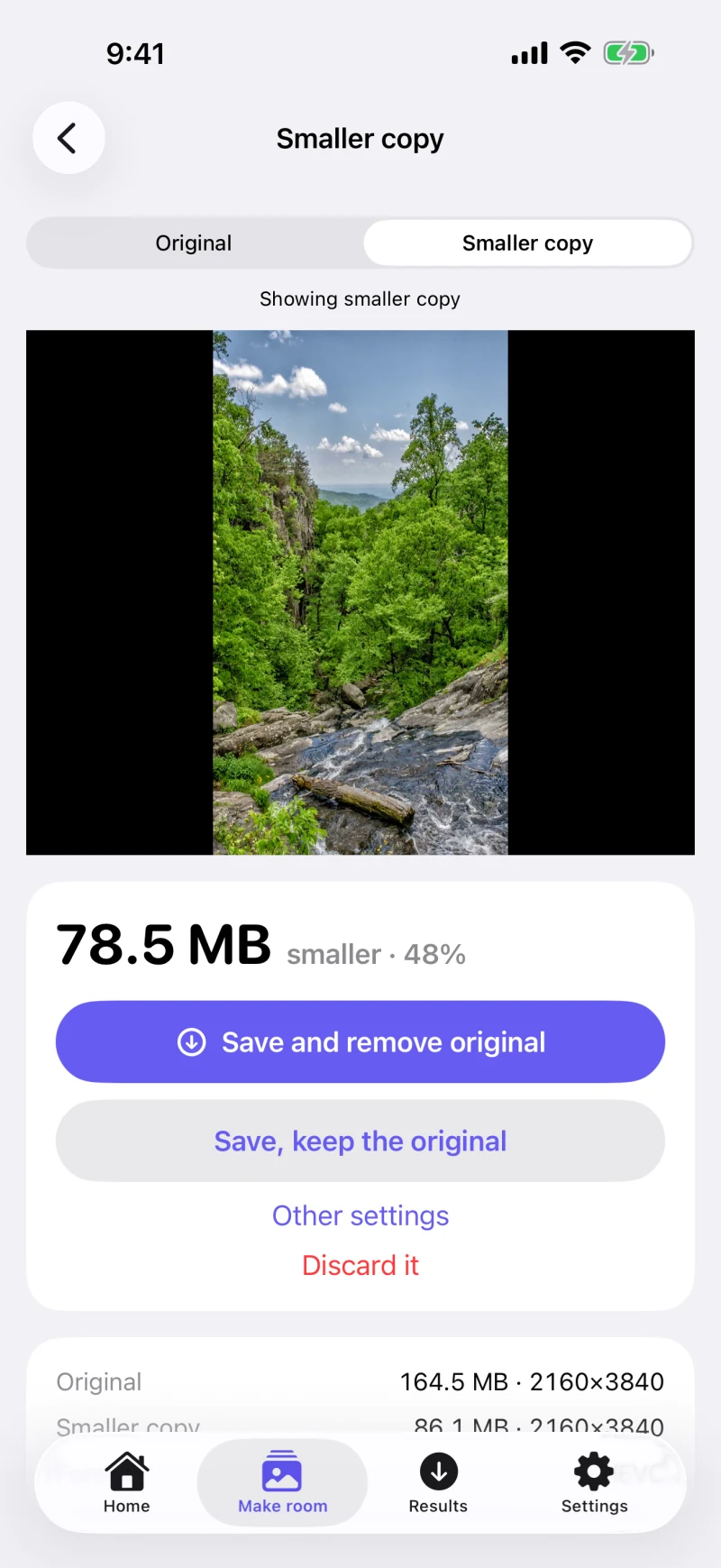
Your library stays yours. No account, no uploads, no analytics.
Smaller files.
Same say in what stays.
Compressing a video shouldn’t mean crossing your fingers. Press puts the result in front of you first.
Find the big stuff.
Start with your largest videos, old screenshots, or photos you no longer need. See their actual sizes before you decide.
Look at the smaller copy.
Compare it with the original. Save it to Photos when you’re happy, or discard the copy and leave everything as it was.
Remove only what you choose.
Press checks that your copy is saved before offering to remove the original. Removal always needs your approval in Photos.
Removed originals go to Recently Deleted for about 30 days. You can recover them there, or empty it to reclaim the space sooner.
A camera roll.
A clearer way through.
Work through one item at a time, find the repeat shots, or keep just the still from a Live Photo.
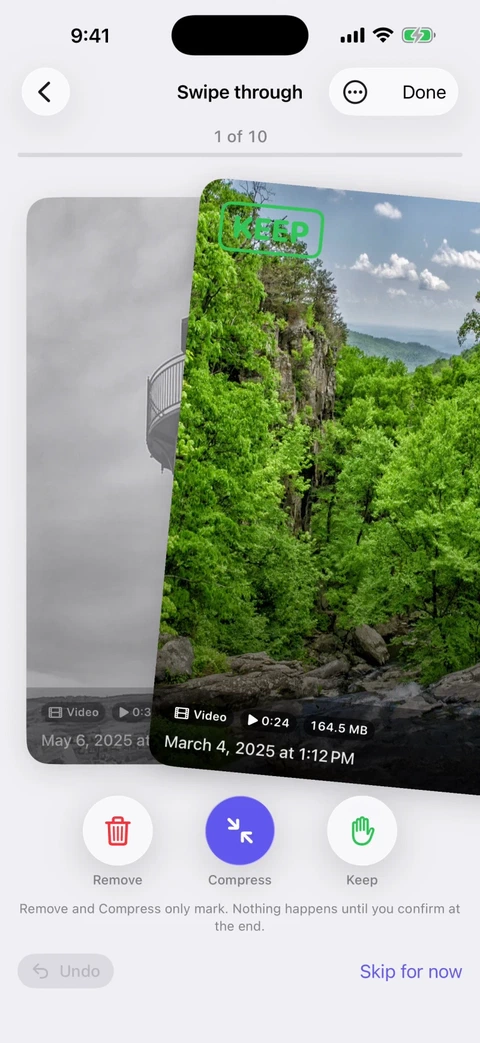
Swipe to decide.
Keep, compress, or remove. One photo or video at a time, with undo when you change your mind.
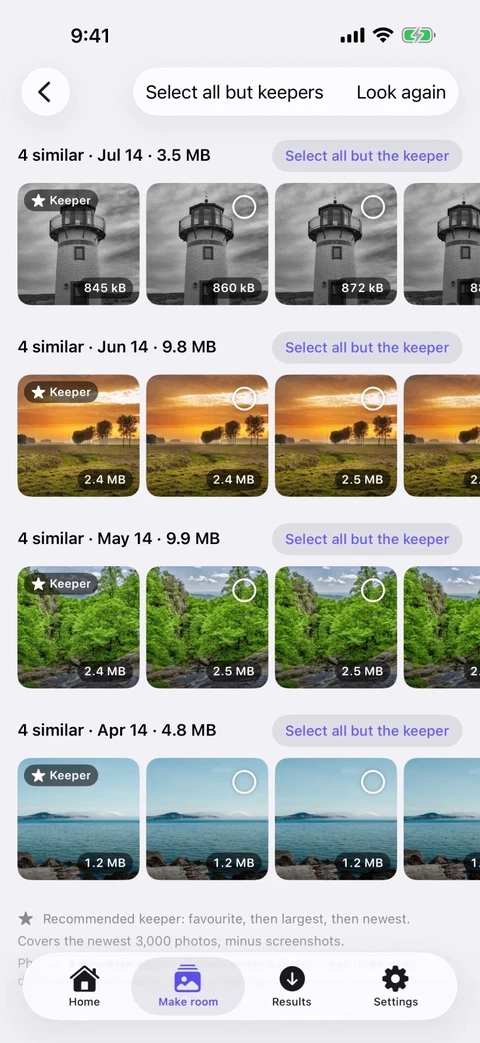
Keep the best shot.
Similar photos grouped on your phone. Press suggests a keeper; you make the choice.
Keep the moment.
Turn a Live Photo into a still when you don’t need the motion. See how much space the video takes.
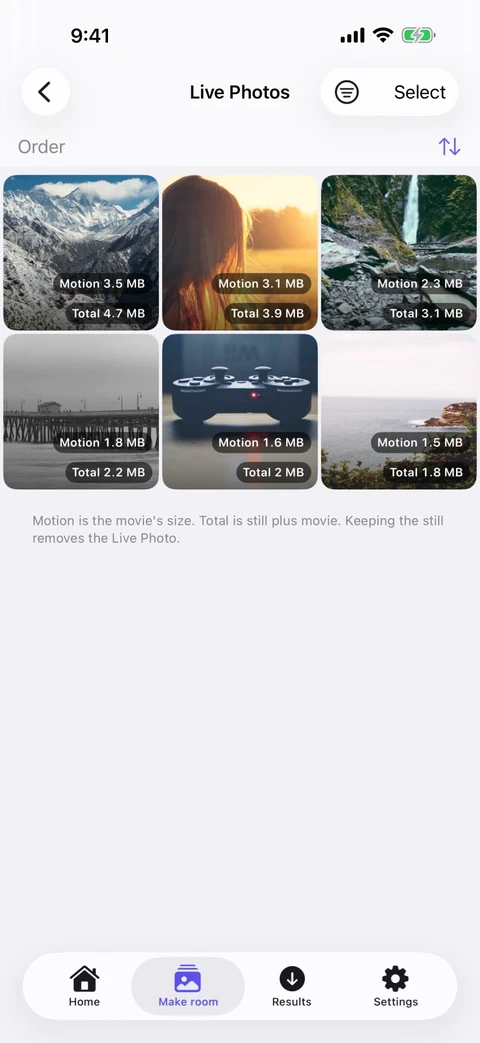
Screens from the app. Similar photos and Live Photo stills are part of the full version.
Start free.
Pay once if you need more.
No weekly subscription. Try Press on your own library before deciding.
Free
$0
Room to get started, every day.
- 10 smaller copies a day
- Browse and review your library
- Swipe, keep, and remove with undo
- Compare before you save
Full version
$9.99 once
Everything in Free, plus:
- Unlimited smaller copies
- Find and review similar photos
- Turn Live Photos into stills
- Restore your purchase in Settings
US App Store price. Local pricing may vary. Unlock the full version inside the app.
A few things worth knowing.
Does anything leave my phone?
Press processes your photos and videos on your device. It has no account, server, or analytics. Items stored only in iCloud are downloaded when you choose to compress them. Your own iCloud Photos settings still apply to your library. Read the privacy policy.
Will the smaller copy look exactly the same?
Compression can change image quality. Press uses HEVC for videos and HEIC for photos, keeping photos at the same pixel dimensions. Compare the result with your original before saving, and keep the original whenever you prefer.
Why hasn’t my free space changed?
Removed originals stay in Recently Deleted in Photos for about 30 days. Empty that album if you want to reclaim the space sooner. With iCloud Photos, space may be freed in iCloud rather than on your iPhone.
Will Press compress everything?
Some files are better left alone. Press skips media it can’t copy without losing something important, such as Portrait photos with depth, HDR videos, and Cinematic videos. It tells you why each item was skipped.
Where can I find my saved copies?
In your Photos library, and in a “Press” album unless you turn that off in Settings. Press recognises its own copies and won’t suggest compressing them again.

A little room
for what comes next.
Try Press on your own photos and videos.
Download on theApp StoreFree to start · iOS 26 or later