
Phone storage cleaners are a grim category. Scary storage warnings, weekly subscriptions and “free up 12 GB!” buttons that don’t say what they’ll delete.
Press started as a desktop app for auditing a folder of images. Press for iPhone does the same job for your camera roll, with three rules: compress locally, review before deleting and report savings honestly. It’s on the App Store now.
What it does
Press finds the big stuff and makes smaller copies of it on the phone. Videos go to HEVC. Photos go to HEIC at the same pixel size. There’s no account and no server, and photos stored only in iCloud are listed but never downloaded unless you ask.
Around that core:
- Swipe review. One item at a time: keep, compress or delete, with unlimited undo.
- Similar photos. Near-duplicates are grouped on the device with Apple’s Vision framework. Press suggests a keeper but never pre-selects it.
- Live Photo to still. Keep the picture, drop the paired video.
- Fit a size. Pick a file size for a video and Press works out the bitrate, with a floor so it never turns ugly just to hit a number.
- Old screenshots and a weekly reminder, if you want one.
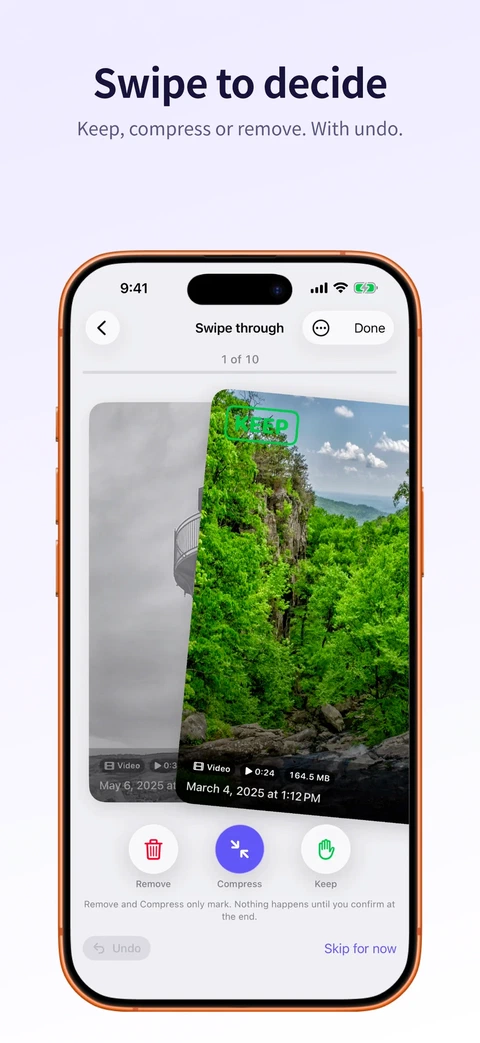 Swipe to decide
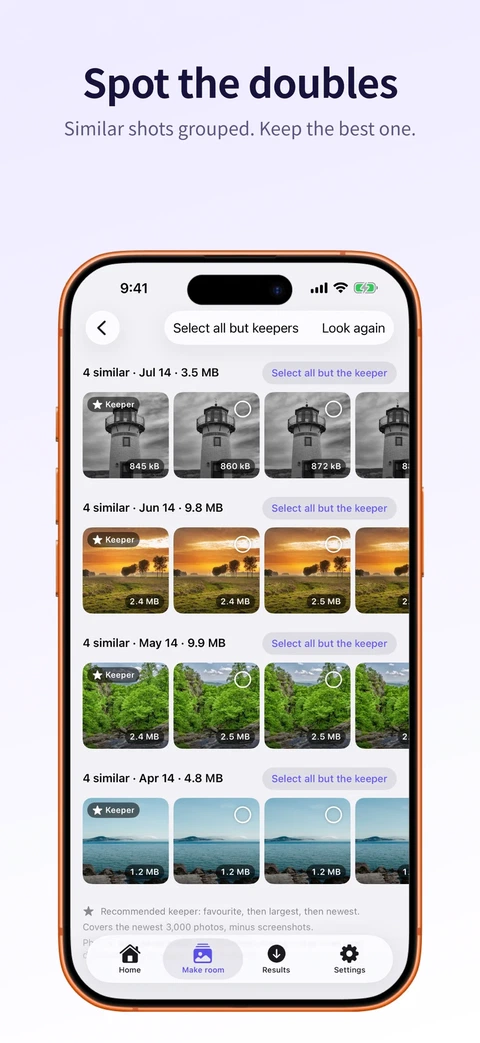 Similar photos
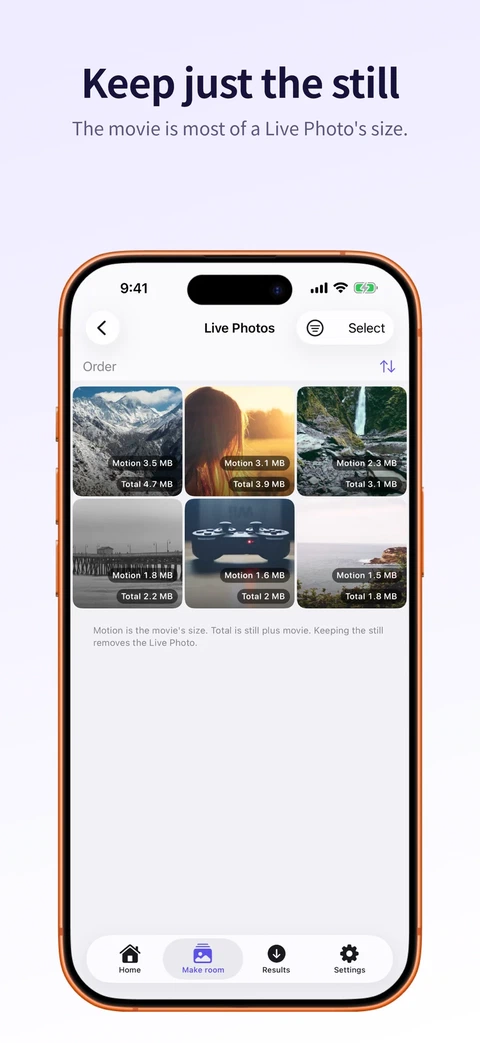 Live Photos
In the simulator a 4K clip went from 68.1 MB to 23.5 MB, and a PNG went from 409 KB to 112 KB as HEIC.
Delete is a separate question
Compressing and deleting are two decisions, and Press asks them separately. It saves the smaller copy, checks the copy is valid, verifies it landed in Photos and only then offers to remove the original.
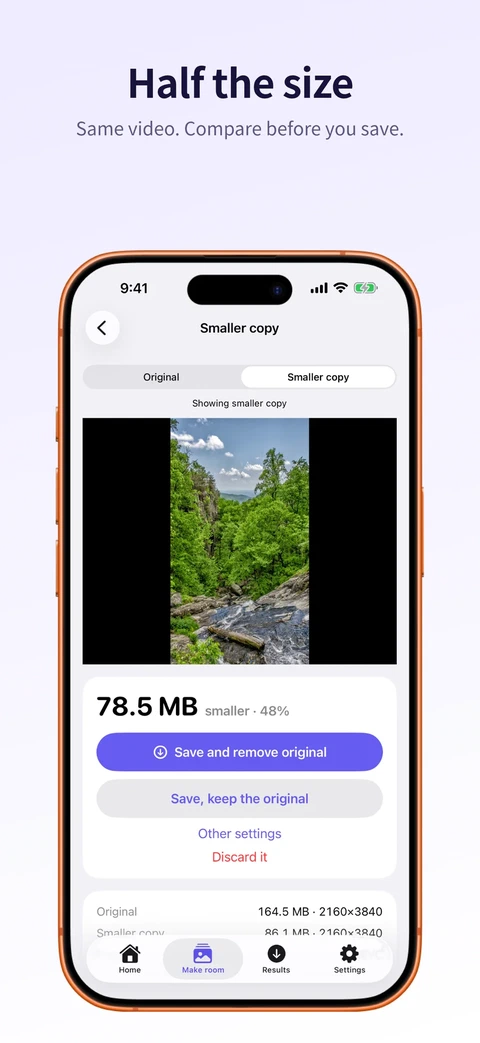 Compare first
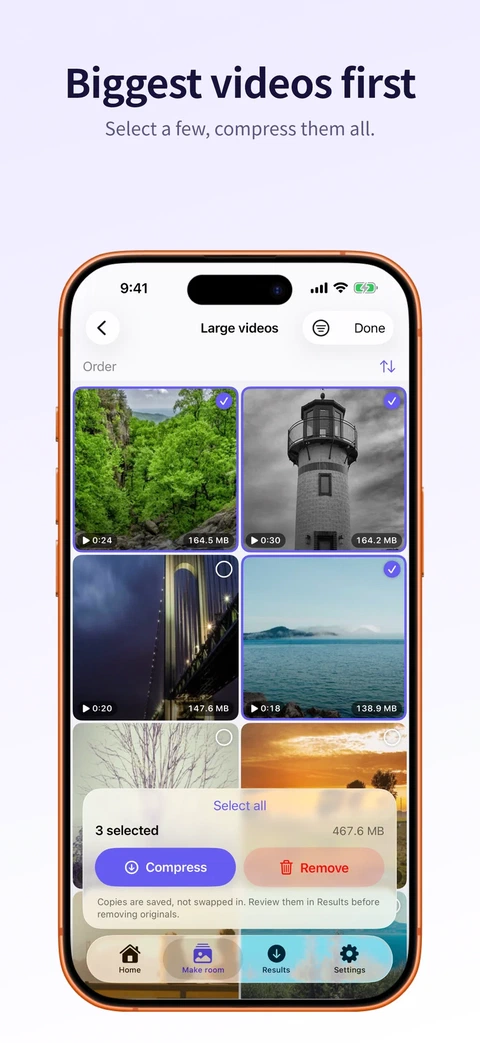 Biggest videos
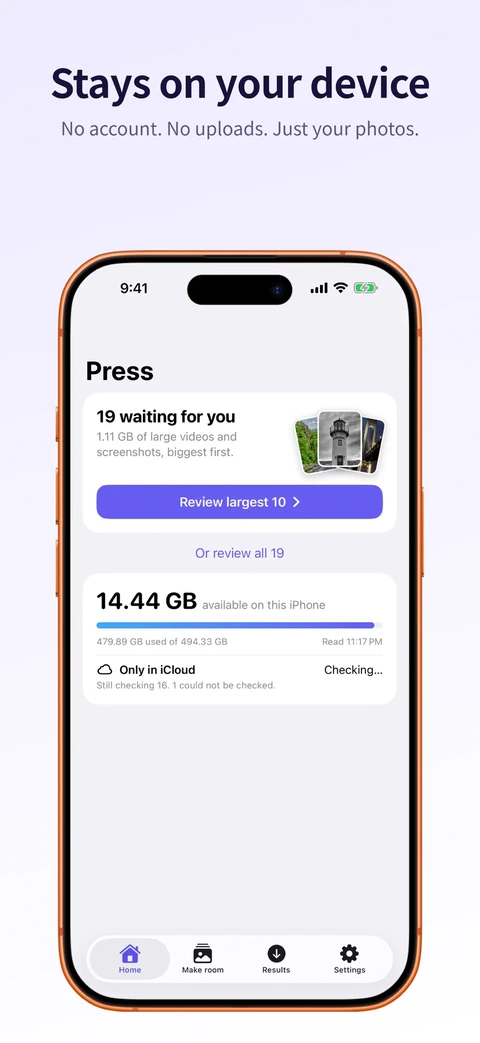 Home
Home
Even then, the original goes to Recently Deleted, where it waits about 30 days. Every copy also goes into a “Press” album, so it’s easy to find and undo. Press never suggests compressing its own copies. The screen that lists what it left alone says how many.
Batches write a journal as they go. If the app gets killed halfway, it picks up where it was, and it never treats an interrupted batch as permission to delete.
The rules live in a folder with no framework dependencies, so every safety rule is a test rather than a promise. There are 148 unit tests.
The iCloud number that was my own disk
I wanted to show how much iCloud space you had. On a real device the app’s “iCloud container” reported 127.32 GB, which turned out to be the phone’s own disk. Apple has no API for iCloud account space.
The feature is gone. A wrong number in a storage app is worse than no number.
Bugs worth remembering
- A crash on every launch. Live Photos showed up both in the similar photos list and the Live Photos list. A Swift dictionary built from both crashed on the duplicate ID. Once the saved snapshot contained the duplicate, every launch crashed.
- Live Photo conversion refused almost everything. It rejected any still with an HDR gain map, which is every recent iPhone photo taken with Smart HDR.
- A few hundred failed rows froze the app. Each frame copied millions of items. A lookup index fixed it.
- Every launch rescanned the library. Now Press asks Photos only for what changed since last time. An unchanged library costs one comparison.
- Four buttons called “Select all” on one screen. The accessibility audit caught it.
One price
Weekly subscriptions are the biggest complaint in this category, so Press charges once: $9.99 for the full version. Free gets you looking, swiping, removing and ten smaller copies a day. A refused copy doesn’t count.
Two days to build, two weeks to ship
The plan came first, on 20 September. The app arrived the same day as an 8,700-line commit with 99 tests, and several features came from agents working in parallel. By the end of the next day there were 49 commits.
Then came the slow part: testing the risky flows on real iPhones. Press 1.0 went live on 4 October. It needs iOS 26 and weighs about 7 MB.