
Typing on iOS sucks.
You can’t resize the keyboard. You can’t make the keys bigger, change the gaps or move anything. Apple gives you one layout at one size, and that’s it.
I like smaller phones, so I use an iPhone 15 Pro. On that screen the stock keyboard drives me mad. I wanted bigger keys in straight rows, and I wanted proper Ukrainian.
So I built Ortholinear. It’s a keyboard for iPhone and iPad with Ukrainian and English, 72 pt keys, 28 pt letters and a grid where every letter gets the same cell. The first commit landed on 5 September. Apple published version 0.3.0 on 15 September. Version 0.6.0, with a paid Pro tier, went live yesterday.
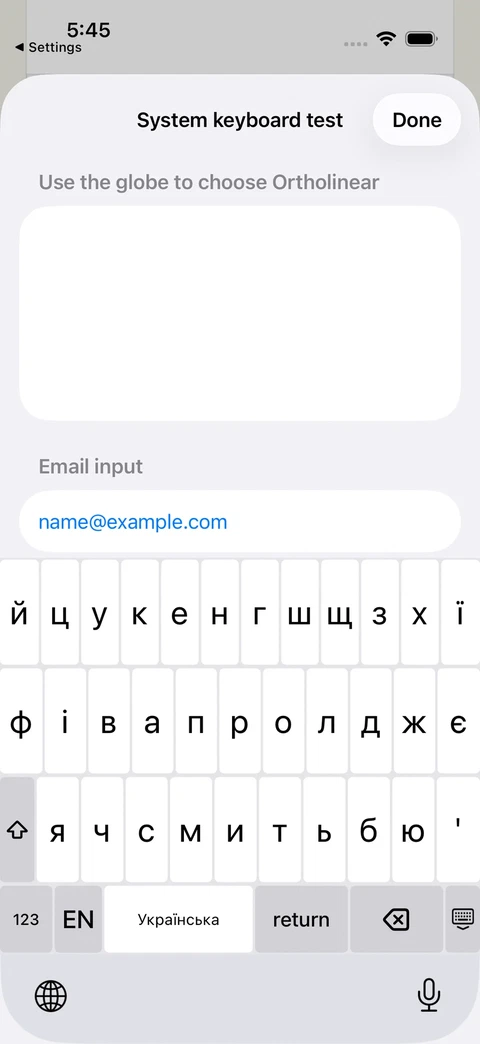 Ukrainian
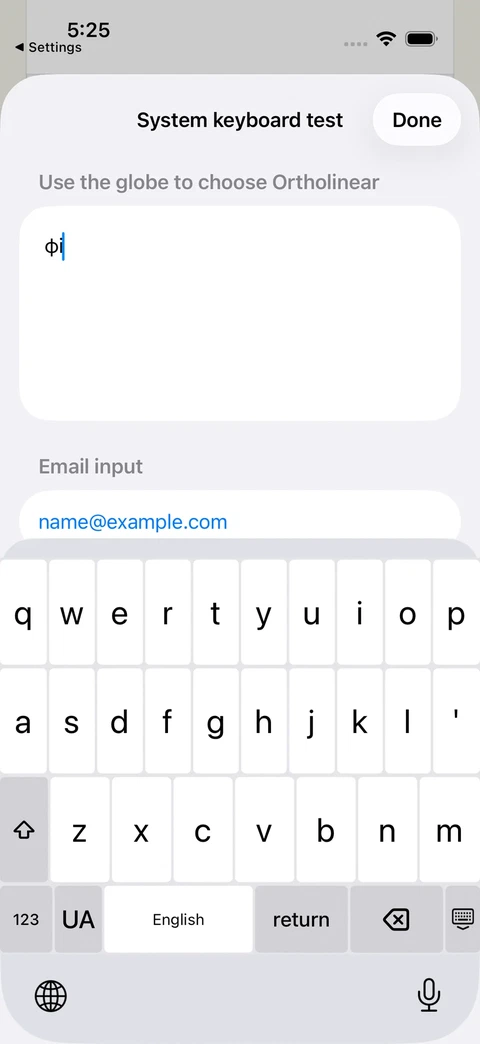 English
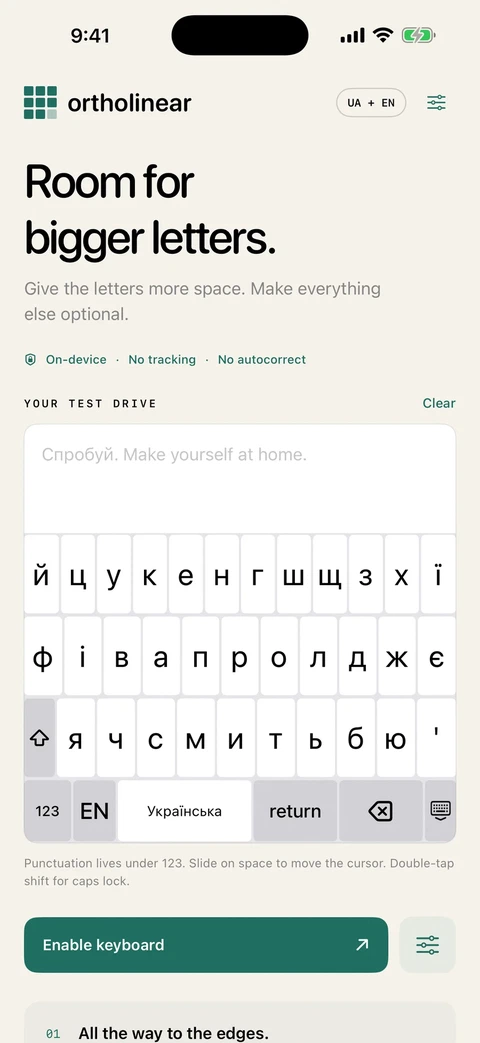 The app
Bigger keys mean fewer keys
You can’t make keys bigger without taking something away. The default letter page has no period, no comma and no header strip. The letters spread across the space they free up.
Ukrainian needed the same treatment. Ґ lives on a long press of Г instead of taking its own key. Ї can move to a long press of І, which widens the whole top row. The apostrophe types ʼ (U+02BC), the same character the macOS Ukrainian layout uses, not the typewriter one.
Everything else is a slider. Key height runs from 36 to 88 pt, letters from 18 to 36 pt, gaps from zero to 12. There are three presets for people who don’t want to touch sliders, and a “fill gaps” switch that turns the whole grid into one surface of touch targets.
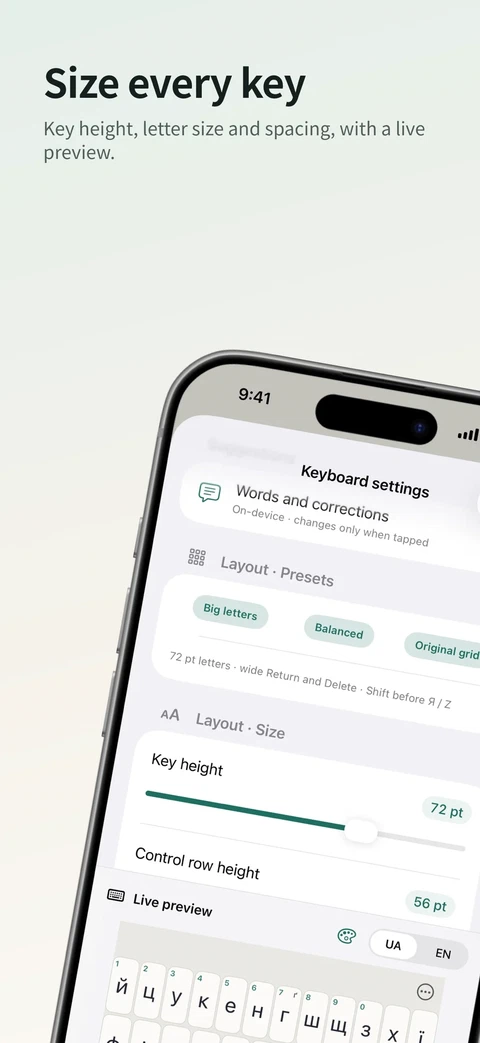 Size
Size
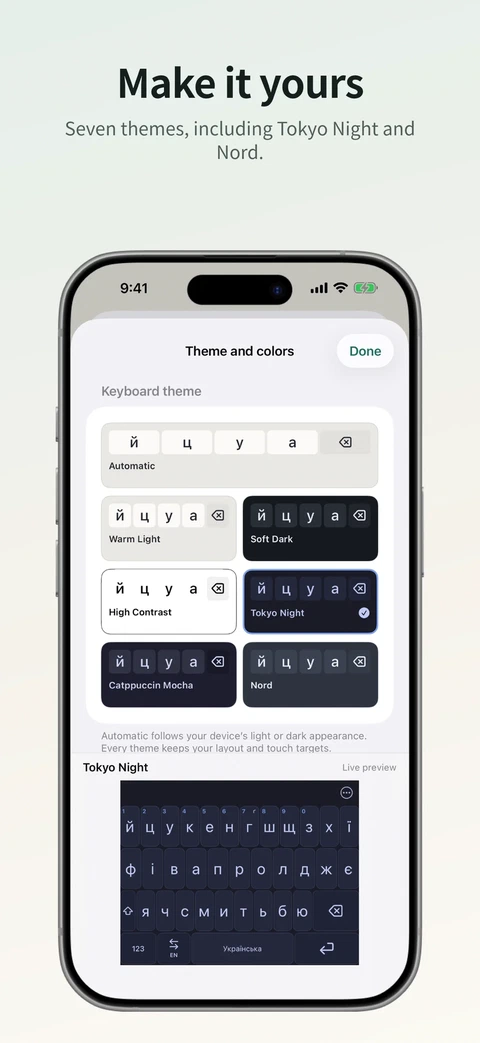 Themes
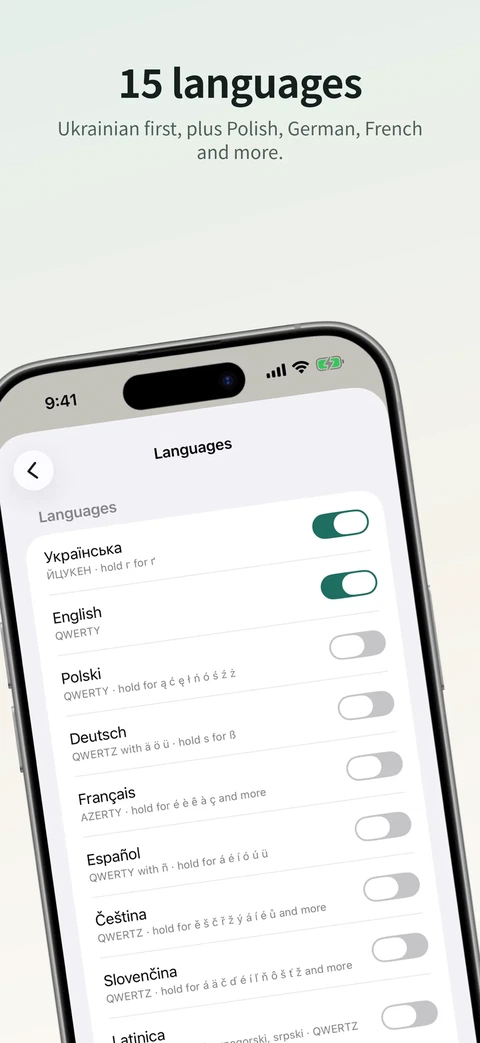 Languages
The one thing I refused was per-letter widths. It would break the grid the app is named after, and it would skew the distances that glide typing and suggestions depend on.
No Full Access
iOS keyboards can ask for Full Access. It lets the keyboard reach the network, and iOS warns you that it could send what you type somewhere.
Ortholinear doesn’t. The keyboard makes no network requests, has no analytics and logs nothing you type. That rules out more than I expected: no key sounds (not even the system click), no haptics, no clipboard history.
Settings still work because a keyboard can read its own app’s shared container without Full Access. The app writes one geometry.json file, and the keyboard reads it when it changes.
Some of it gets awkward. The app can’t write into the keyboard’s own storage, so “Forget learned languages” bumps a counter in shared settings, and the keyboard wipes its memory the next time it opens. Words you teach it are stored twice for the same reason.
The keyboard doesn’t know which app it’s in
I wanted the keyboard to remember your language per chat: Ukrainian with your mum, English in Slack. iOS doesn’t allow it. One keyboard process serves every app, the document identifier changes on every focus and the conversation context never arrives.
So it remembers by kind of field instead. An email field, a search box and a message composer each keep their own language. It’s not what I wanted, but it’s what the platform allows.
Glide typing in half a millisecond
Glide typing works for English and Ukrainian. It matches your swipe against the dictionary with dynamic time warping, an elastic comparison that tolerates sloppy curves. One decode takes about 0.5 ms. On synthetic swipes it picks the right word first 96% of the time in English and 99% in Ukrainian.
Suggestions are offline and tap-only. Nothing gets autocorrected behind your back. My favourite feature is layout recovery: type “ghbdsn” with English active and it offers “привіт”. Every Ukrainian has typed a whole sentence in the wrong layout at least once.
I looked at a small neural model for suggestions. SmolLM2-135M needs about 67.5 MB for its weights at 4 bits, and iOS kills keyboards at around 50 to 60 MB. Apple’s Foundation Models don’t speak Ukrainian. Dictionaries it is: about 40,000 word forms per language, and the keyboard measured 31 MB on an iPhone 15 Pro.
Russian comes with a question
The keyboard ships 13 extra layouts, from Polish to Norwegian to Serbian Cyrillic. Russian is one of them.
Before it turns on, you answer one question: “Do you support Russia’s invasion of Ukraine?” Answer “No” and you get the layout.
Pro without being obnoxious
Version 0.6.0 added Pro, a one-time $9.99 unlock. It’s for keyboard enthusiasts: layers, phrase keys, text expansions, navigation keys, flicks on any key, keycap colorways and saved setups. Ukrainians are the core of the free app. I don’t expect them to be the buyers.
I wrote the rules before the code:
- Everything that was free stays free.
- Free features never get a badge.
- The keyboard itself has no commercial UI at all.
- A refund never deletes anything.
The Layout Workshop, where you rearrange letters and share layouts as files, stayed free. Shared layouts are how a keyboard like this spreads.
I also planned a seven-day trial with screens, a StoreKit design and a clickable prototype. Then I deleted all of it. A free Workshop plus a paid unlock is easier to explain, and nobody has to watch a countdown.
Pro lives in a private repo. The public spec gets pulled into a second build config with a PRO flag. The keyboard extension never contains Pro code and doesn’t even know Pro exists. The app tells it what you’re allowed to use.
Ten days to the store
The first day went straight to the store: initial commit, listing, screenshots and upload in about 25 minutes. On the same day I added voice input through Groq and deleted it 53 minutes later. The keyboard that went to review an hour later used no network and no microphone.
Most of the App Store Connect work runs through Apple’s API. One step doesn’t. You can’t attach a first in-app purchase to a version through the API, so I clicked that button by driving Chrome over its DevTools protocol.
The core is public under MIT, about 8,700 lines of Swift with 111 tests. Pro adds 2,400 more.