I typed “go on” to Codex 269 times.
I know because I counted. I had a 12-key macro pad on my desk and needed to decide what its keys should do. So I went through about 4,300 of my Codex CLI prompts and 572 Claude sessions and let my own habits pick.
The top three were “go on” (269), “do it” (137) and “status?” (103). Not one of them is a clever prompt. They’re the noises you make at an agent that is already doing the right thing.
The pad
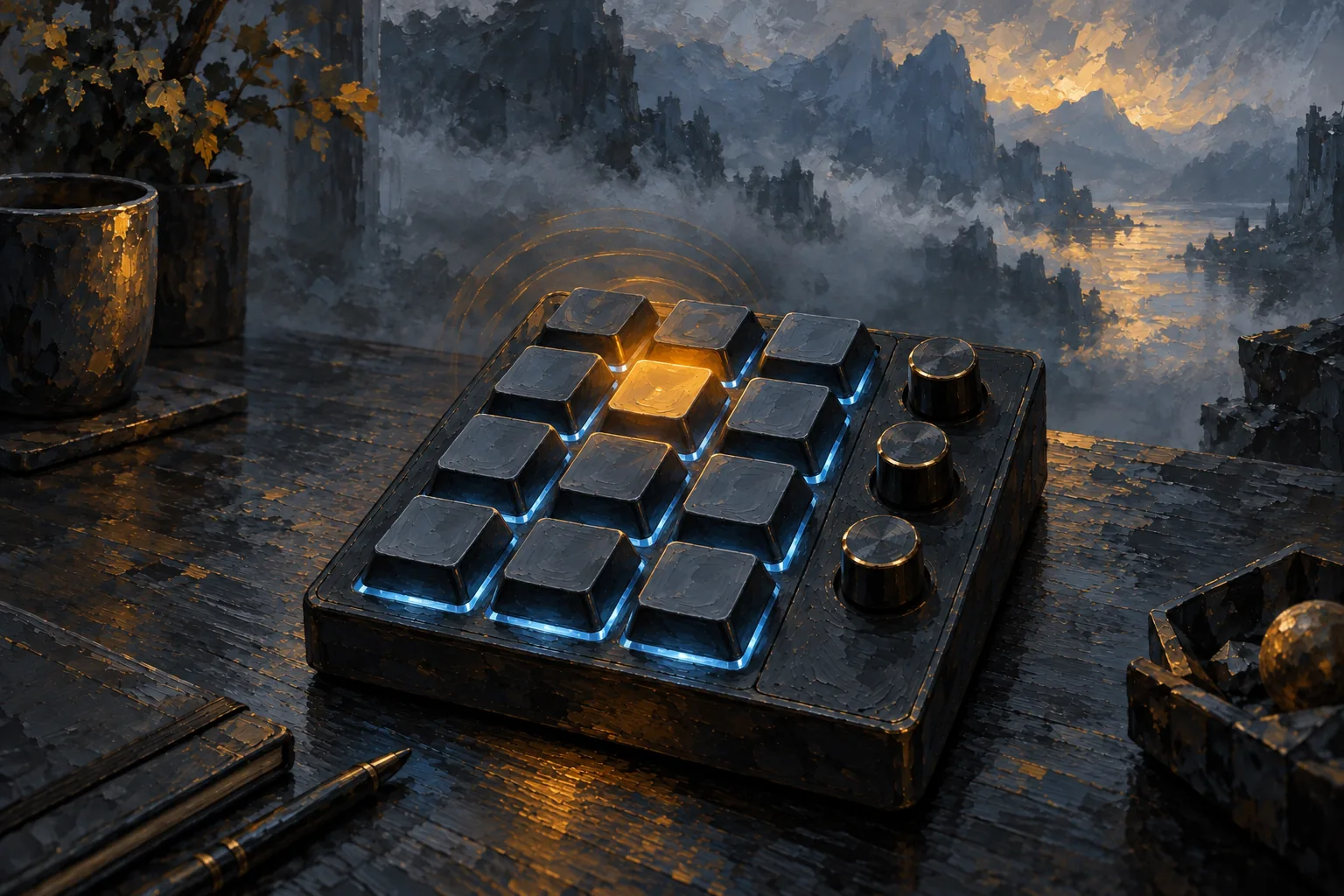
The DMQ Design SPIN is a small QMK macro pad with 12 keys, three clickable knobs and three RGB LEDs. QMK is open-source keyboard firmware, so every key and knob does whatever you flash onto it.
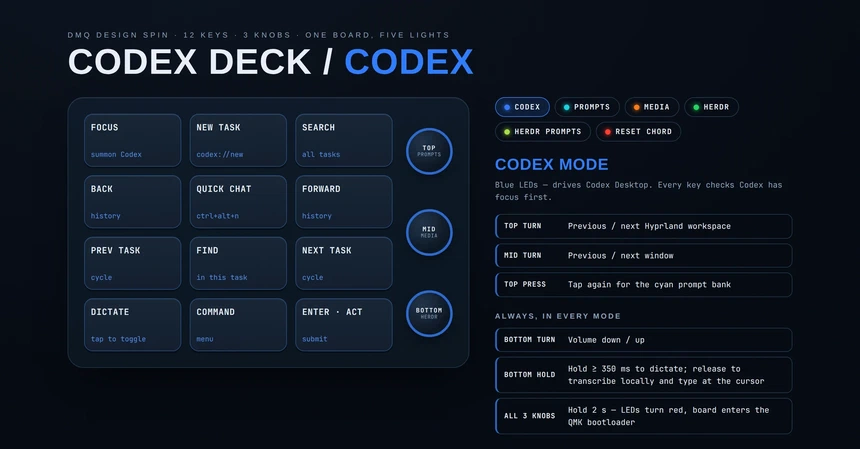
codex-numpad turns it into a control deck for my desktop. Each knob press picks a mode, and all three LEDs change colour so I can see which one is live:
- Codex (blue). New task, quick chat, search, previous and next task, dictation and an Enter key.
- Media (orange). Arrows, Home, End, Page Up and Down, play, pause and track skips.
- Herdr (green). Pane navigation, splits, tabs and agent switching in Herdr, a terminal workspace manager for coding agents.
Turning the bottom knob is always volume. That one was not up for negotiation.
Prompt banks
Tap a knob a second time and you get a prompt bank: 12 keys that each type a ready-made prompt.
The Herdr bank is the mined one. “Go on”, “do it”, “fix all”, “status?”, “land it”, “run migrations”, “Continue from where you left off.” and a few reviews. One key runs /improve-codex, which I used 30 times. It took the slot from “converge”, which I used eight times. The data decides.
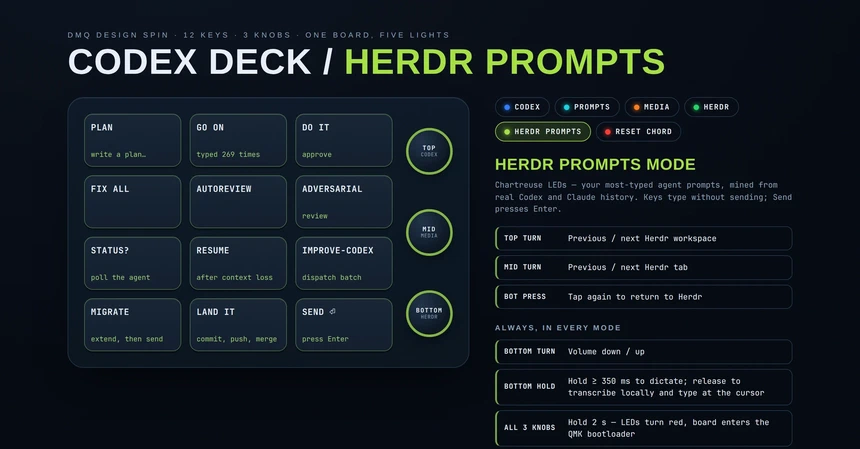
The keys type the prompt but don’t send it. The cursor stays put so I can add a sentence, and a separate Send key presses Enter. A macro that fires a half-right prompt at an agent is worse than no macro.
The same intent sits on the same physical key in both banks. “Status” is always in the same spot, whether I’m talking to Codex Desktop or a CLI agent in Herdr.
I also had a “commit n push” key. Then I noticed “land it” already commits and pushes, so two keys did one job. The freed key now types “run migrations”, the next phrase on the list.
Hold to talk
Hold the bottom knob for 350 ms and the pad records. Let go and whisper.cpp transcribes it on my machine and types the text wherever the cursor is. Nothing gets uploaded.
A short tap still switches to Herdr mode. The firmware tells a tap from a hold by timing it, so the LEDs flash green for a moment when a hold starts. I can live with that.
Things that bit me
Typing into the wrong window. A macro pad types into whatever has focus. Every Codex action checks that Codex actually has focus first, and refuses to type if it doesn’t. Without that check, “do it” ends up in a Slack message sooner or later.
Moving the repo broke dictation. The whisper.cpp build baked absolute paths into its libraries, so after I moved the folder, transcription died with “cannot open shared object file”. The fix was a single CMake flag that makes the paths relative. The installer’s symlinks have the same problem. If you move the repo, the Media mode keeps working and everything else silently does nothing, so the README now says so in bold.
Getting into the bootloader. The first flash needs a tiny reset button under the USB-C port. After that, holding all three knobs for two seconds turns the LEDs red and drops the pad into the bootloader. That chord needed a fix of its own on day one.
Keys that live on the desktop
The firmware only sends F13 to F24, keys no normal keyboard has. Everything they do lives in Hyprland bindings and two shell scripts. I can change a prompt or an action without reflashing the board, which matters because I changed the prompt keys several times in the first two days.
A deck on the screen
A month later I added a window that mirrors the pad. It’s built in GPUI, the same Rust UI framework as Press. It shows the current mode in its colour, the 3×4 grid and what each knob does. Click a key and it runs the same action as the physical key, so it works when the pad is out of reach.
It’s a plain floating window, not an overlay, because an overlay can’t be moved. It opens its grid away from the nearest screen edge. The tests fail if any on-screen key points at an action that doesn’t exist, because a dead button is worse than a missing one.
Count yours
The interesting part wasn’t the hardware. It was finding out how little I actually say to an agent. Most of my “prompting” is three words long.
Your agent history is sitting in a file on your disk. Count it before you design any shortcut. You’ll probably find your own “go on”.