The original article was posted on Sirv’s blog
Archived Sirv article from 2018. I wrote this in Sirv’s voice, so “we” and “our” refer to Sirv. Examples, surveys and product interfaces describe that period. The original calls to action remain part of the article, not current recommendations.
Personalisation usually means changing copy or offers for a particular customer. Images can be personalised too.
The examples below show how that works in email, landing pages, and banners. The interactive bot demonstrates it with your name.
Try our bot
I'm here to Sirv you 🤖
Why personalize?
What marketers reported
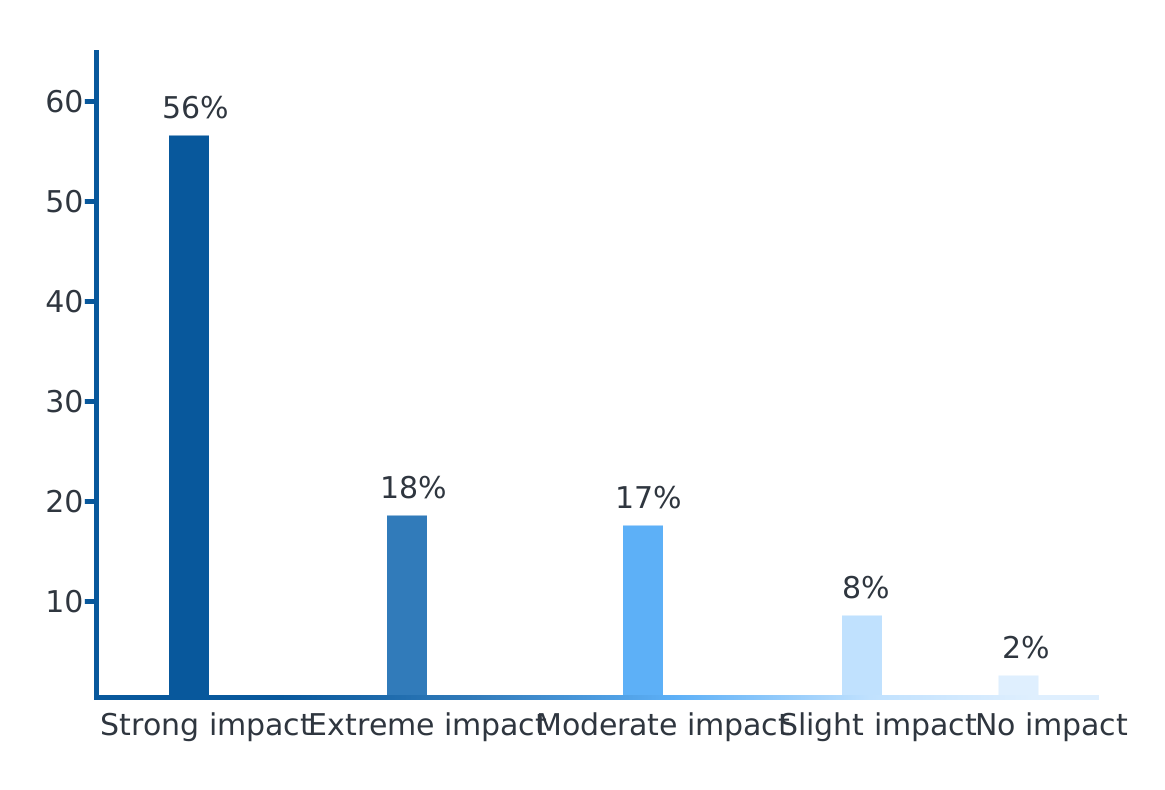
In an Evergage survey, 74% of marketers said personalisation had a strong or extreme effect on customer relationships.
Here’s a detailed breakdown:
What is the impact, if any, of personalization on advancing customer relationships?
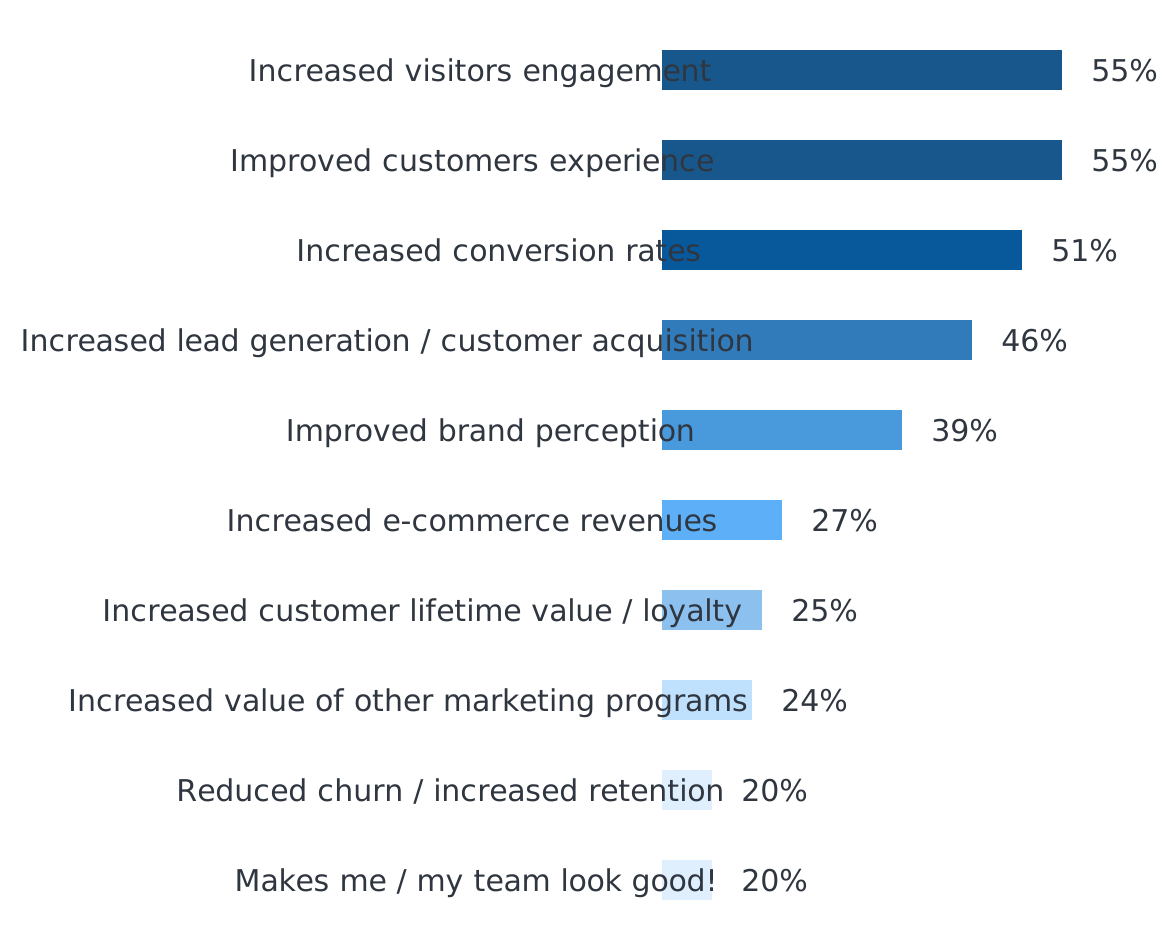
The same survey asked which benefits marketers reported.
What are the main benefits you see from personalization for your organization?
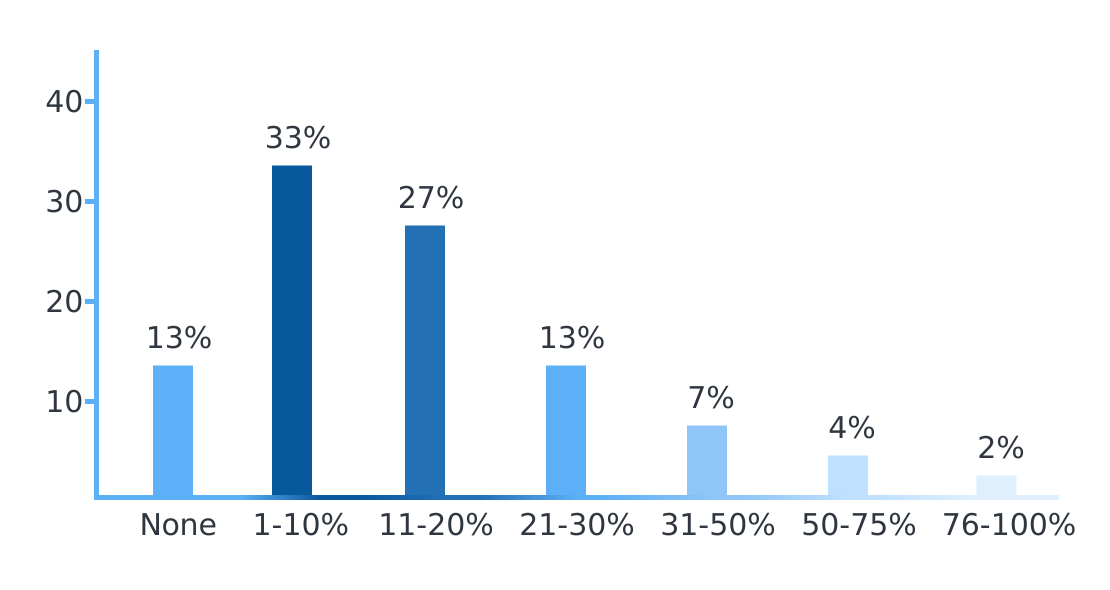
It also asked what lift they measured.
What percentage improvement or “lift” are you generally seeing from personalization efforts?
The rest of the article focuses on practical image examples and implementation.
Image personalization in email
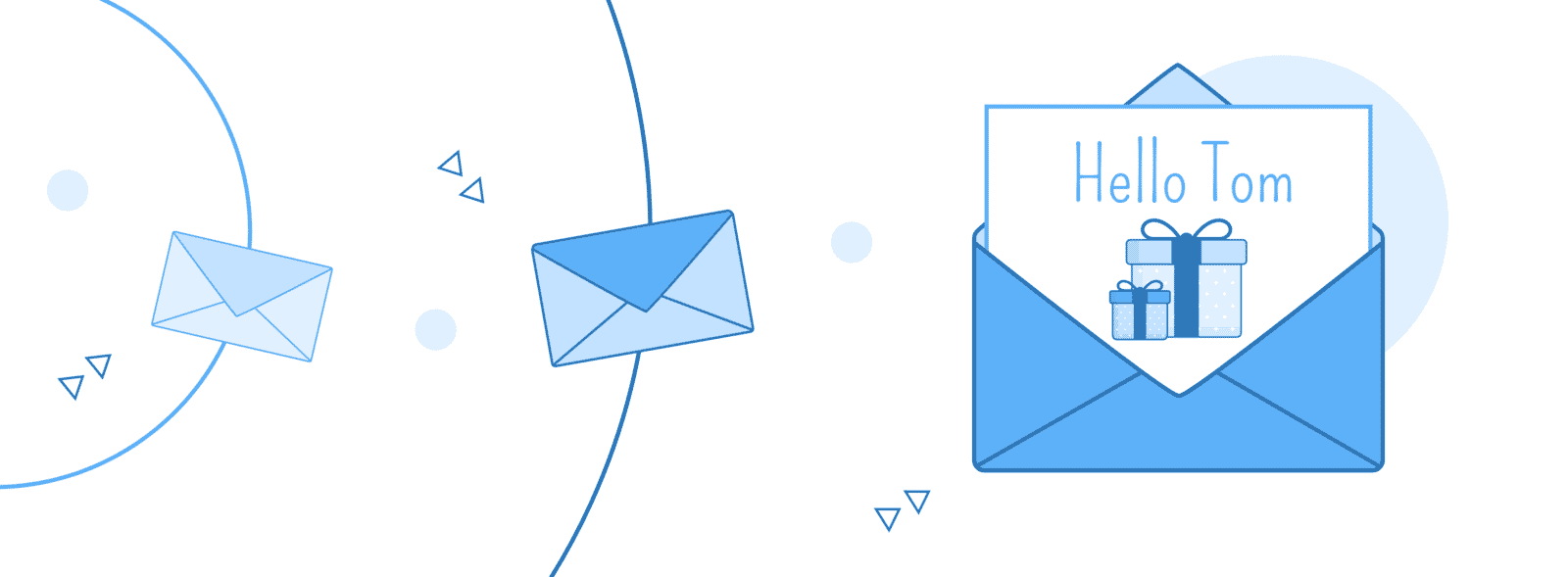
A personalised image gives an email another way to use the data already present in its merge fields.
Here are a few examples.
Discount email
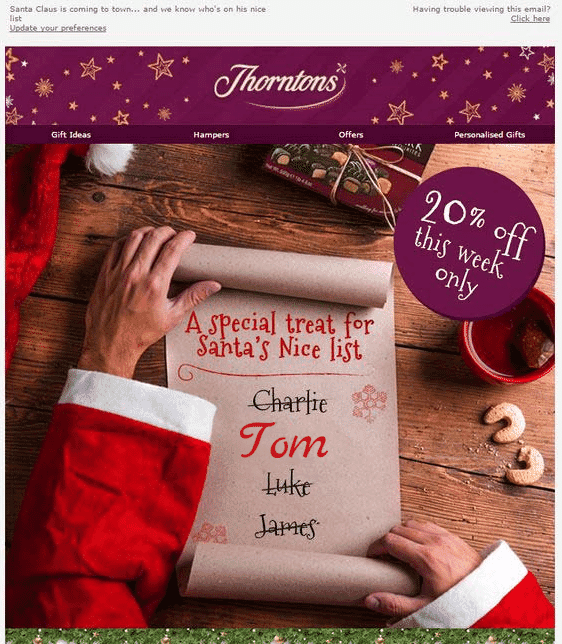
An example campaign from Thorntons
Promotional email
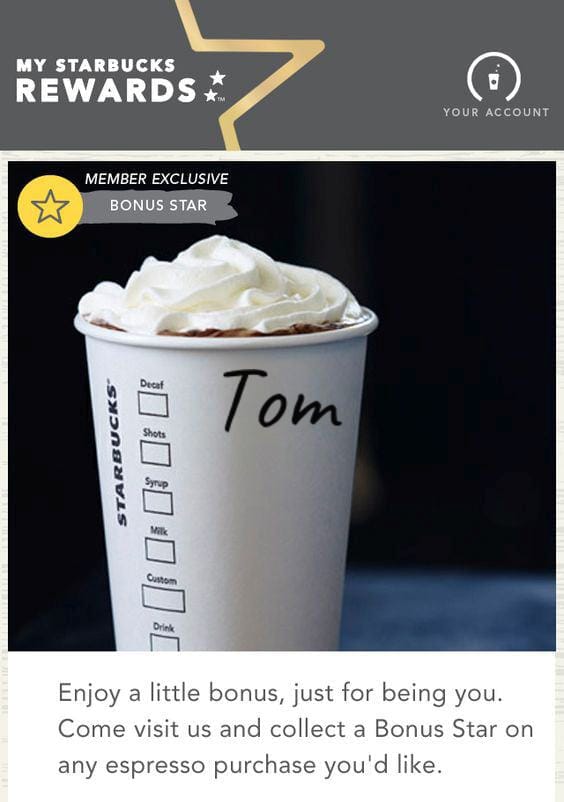
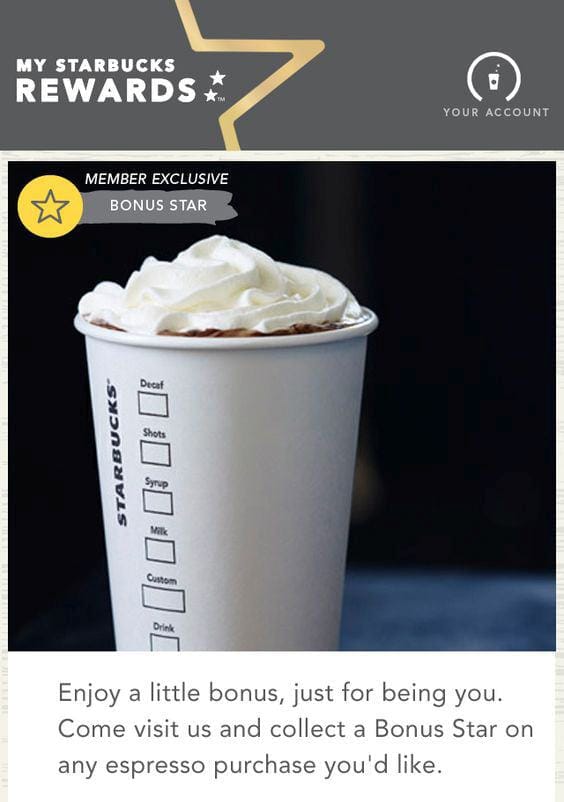
Yes, it's a name on a Starbucks coffee. If you've talked to our bot - it's your name on a Starbucks coffee, hehe.
Cart abandonment
Baymard’s cart abandonment data puts the average near 70%. A personalised product image is one thing worth testing in the recovery email.
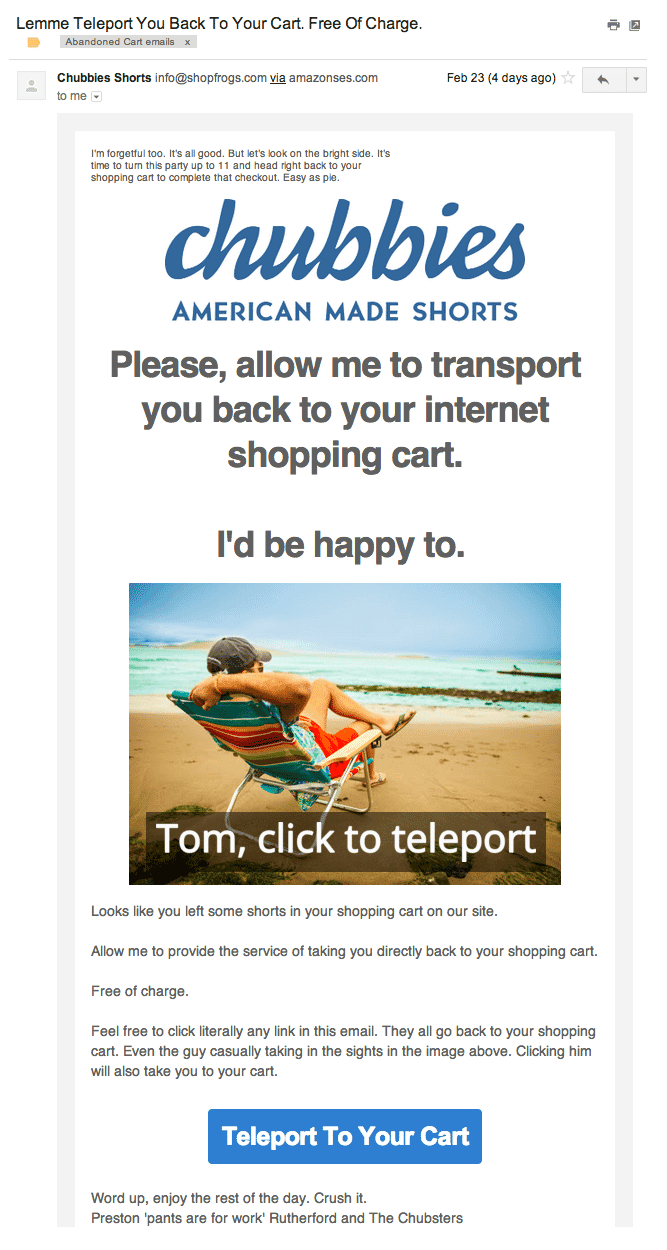
A cart abandonment campaign from Chubbies Shorts. We added image personalization ourselves though.
The image repeats the abandoned product and puts the recipient’s name into the call to action.
Cold email
Image personalization isn't limited to a name.FullStory used website screenshots of their leads with a “play” button overlay. It makes a lot of sense, since FullStory’s service is built entirely on recording visitor activity on your website.
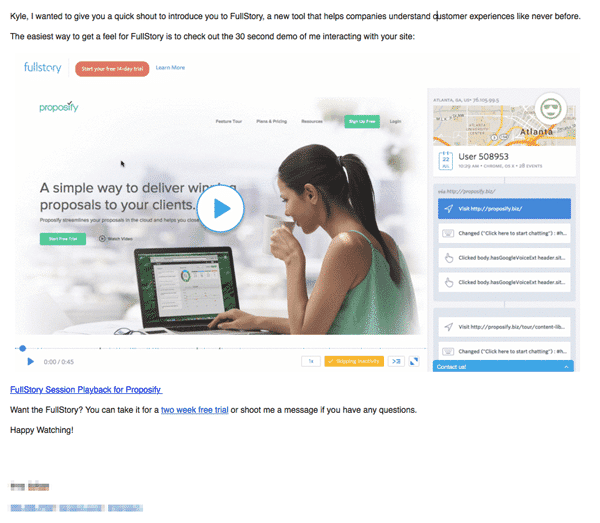
FullStory used website image screenshots of their potential customers in their email.
PS: It’s not hard to automate this process.
Newsletter
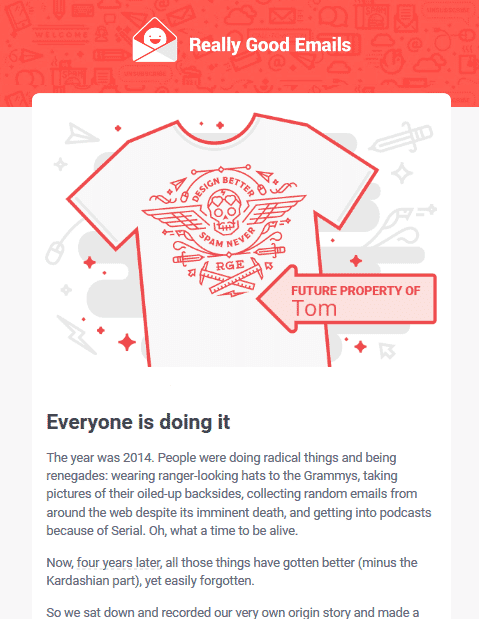
Really Good Emails newsletter
Event email
Movember combines direct copy with a personalised image.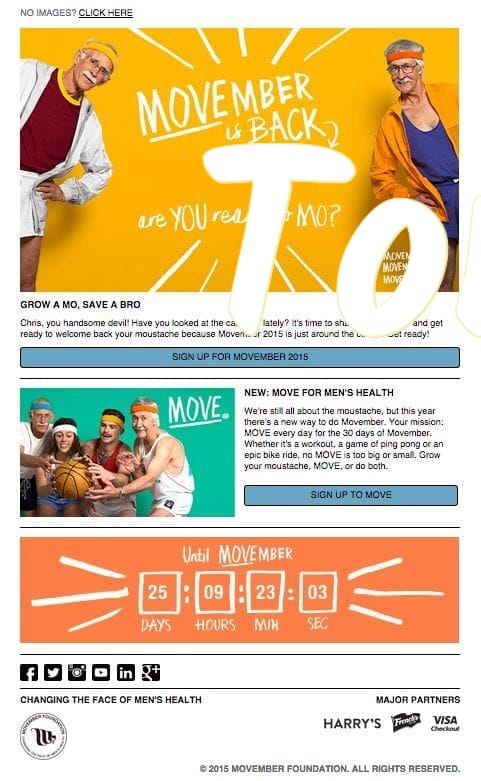
With a rebel yell she cried mo, mo, mo!
Survey emails
It's pretty hard to get people to take a survey without an incentive.A nice personalized image might change the odds in your favor:

Wirecutter. Again, we added a little bit of personal touch to this with the name.
How to personalize email campaigns
Looks cool? Here's how you can do it.It’s quite simple since most marketing automation/email providers and personalization platforms support custom fields of some sort.
You’ll need two things:
- Image personalization software
- Data
If you’ve played with our bot, you can see that all images on this page are personalized with your name.
Sirv generates images from parameters in the URL. Hover over the bold parts of this example for an explanation.
https://sirv.sirv.com/blog/Personalization/examples/Starbucks%202.jpg?text.0.text=[name, fallback=Tom]&text.0.position=center&text.0.size=30&text.0.color=060606&text.0.font.family=Caveat
The URL has these parts:
- https://sirv.sirv.com/blog/Personalization/examples/Starbucks%202.jpg - this is the image URL. Nothing special here.
- text.0.text - this parameter is responsible for the actual text. In our case, it's [name, fallback=Tom]. You can have 4 separate text overlays active at a time.
- text.0.position - takes care of our text's position. We have it set to "center". You can position your text however you like, more in our docs.
- text.0.size - determines our text size in relative size to the image.
- text.0.color - sets the color of our text.
- text.0.font.family - used to set our font-family. It's Caveat in this case. You can use Google fonts here.
You’re not limited to text overlays, you can add image overlays and use your image metadata.
What data to use in personalization
For B2C you might want to collect:
- Name
- Location
- Purchase history
- Demographic data
- Behavioral data
- Weather conditions
If you’re short on data, you can always use data enrichment solutions to fill up this gap. Clearbit is one of the most popular services for this. It can help you make your forms shorter, further increasing your conversion rate.
For B2B, demographic and behavioral data aren’t as important.
“Firmographics” are a much better thing to focus on. Here’s what you can work with:
- Website
- Industry
- Annual revenue
- Company size
- Location
- Stage in the sale cycle
Again, you can use Clearbit to automatically gather firmographic data. Afterwards, you can quite easily customize your automation sequences and increase your conversions.
Advanced techniques
Most marketers segment their users based on demographics or location and email them in bulk. Some combine behavioral and demographic data with machine learning to achieve maximum levels of personalization.A good example of this is Booking.com. You’ve probably experienced their marketing first-hand. It’s enough to visit a single page to instantly get retargeted with their ads all over the place, but that’s pretty basic dynamic remarketing.
If you sign up for Booking.com, here’s where they start bombarding you with emails based on your behavior and demographic data.
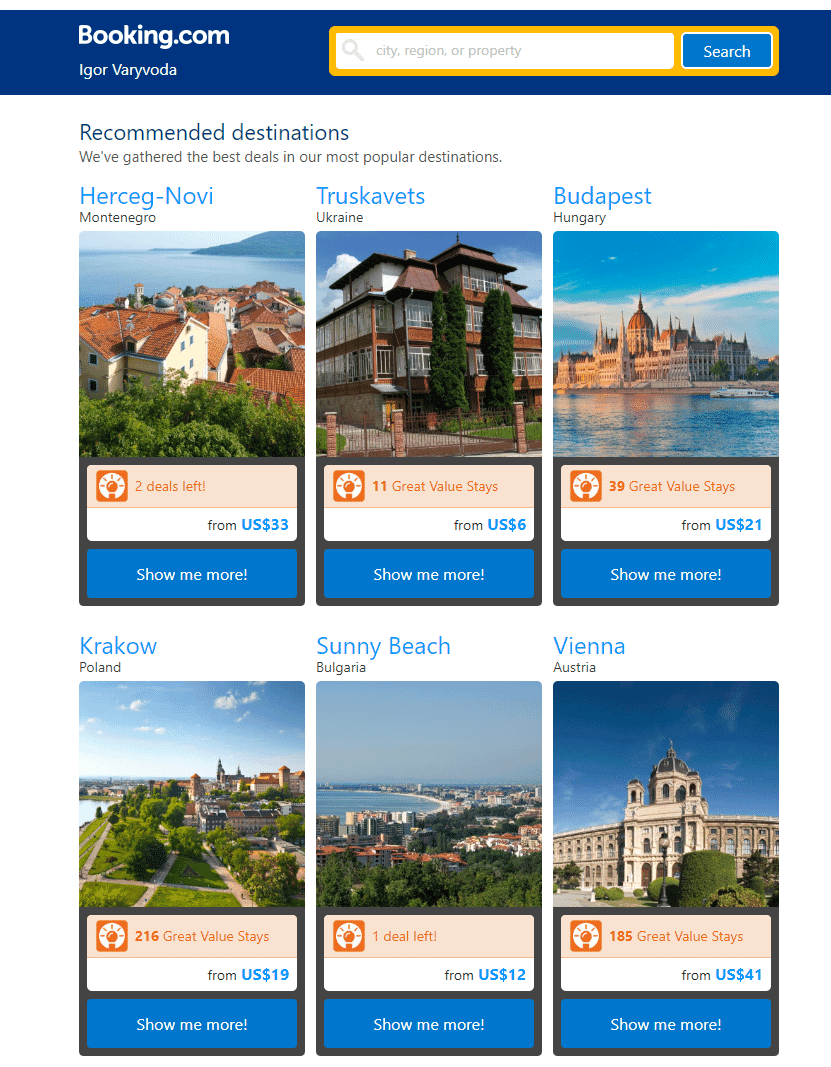
A tidy list of deals, tailored to my interests.
Technically, the email is great. It’s tidy and has deals.
Compare it to AirBNB’s email below.
The imagery, typography, and editorial content are stronger than Booking.com's email.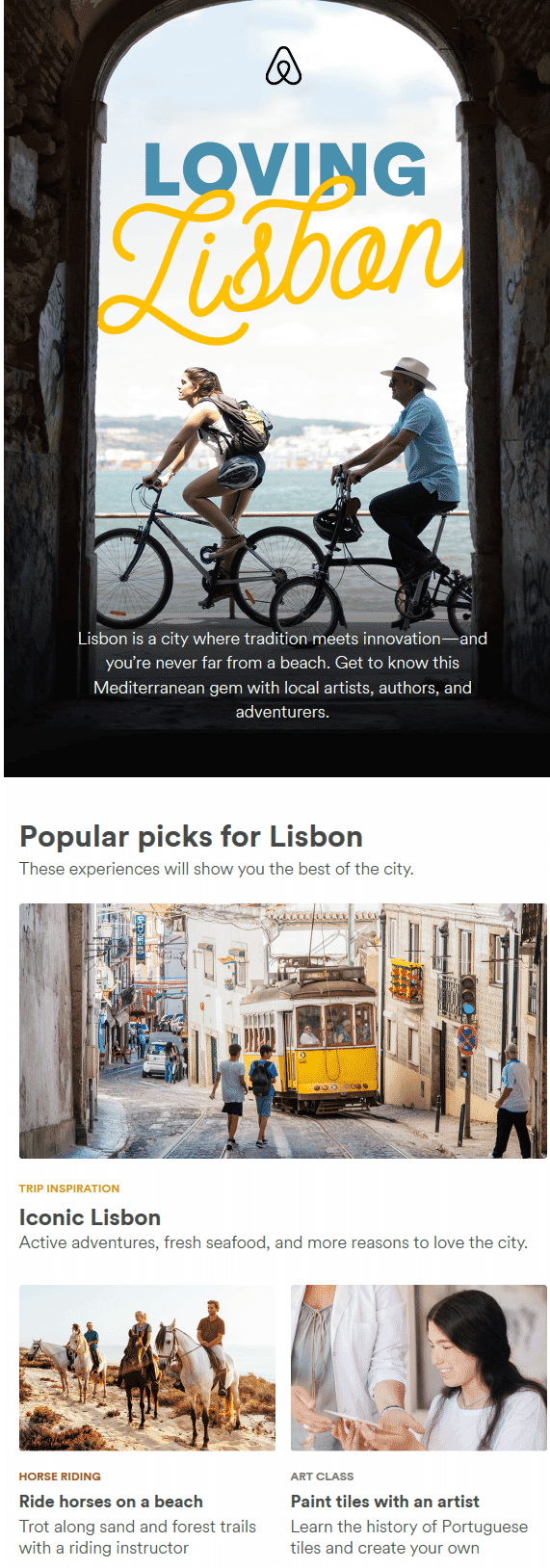
The same approach also works on landing pages.
Personalized images on landing pages
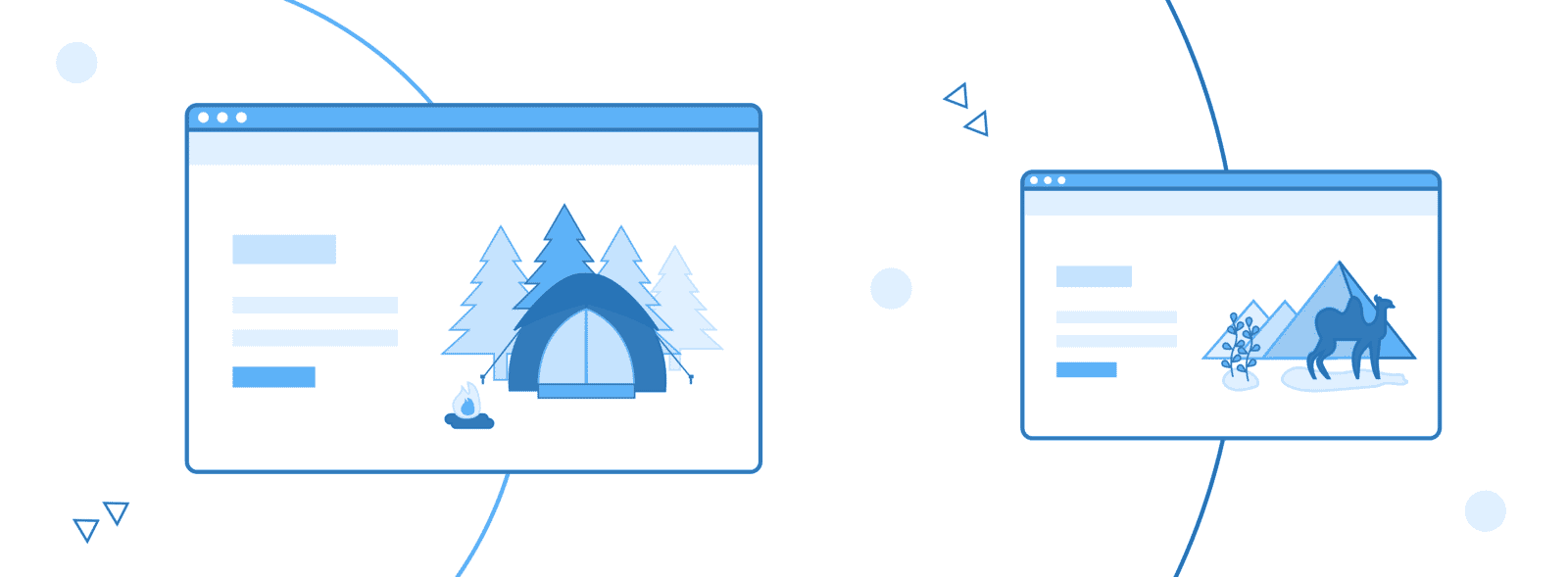
“On your first-ever visit to the site, we could show you something that would resonate with you. That was the holy grail and it actually worked. This is a huge competitive advantage for us.” - John Ewing, BMI Research
There are several ways to personalize your landing pages:
- Personalization by context: use URL parameters to detect ad keywords, campaign sources or anything you can think of. Then change the landing page content accordingly.
- Personalization by live data: grab location, business name and other firmographics with external services and use this data to personalize the landing page.
Here are some interesting examples that were proven to increase conversions.
Referrer based personalization
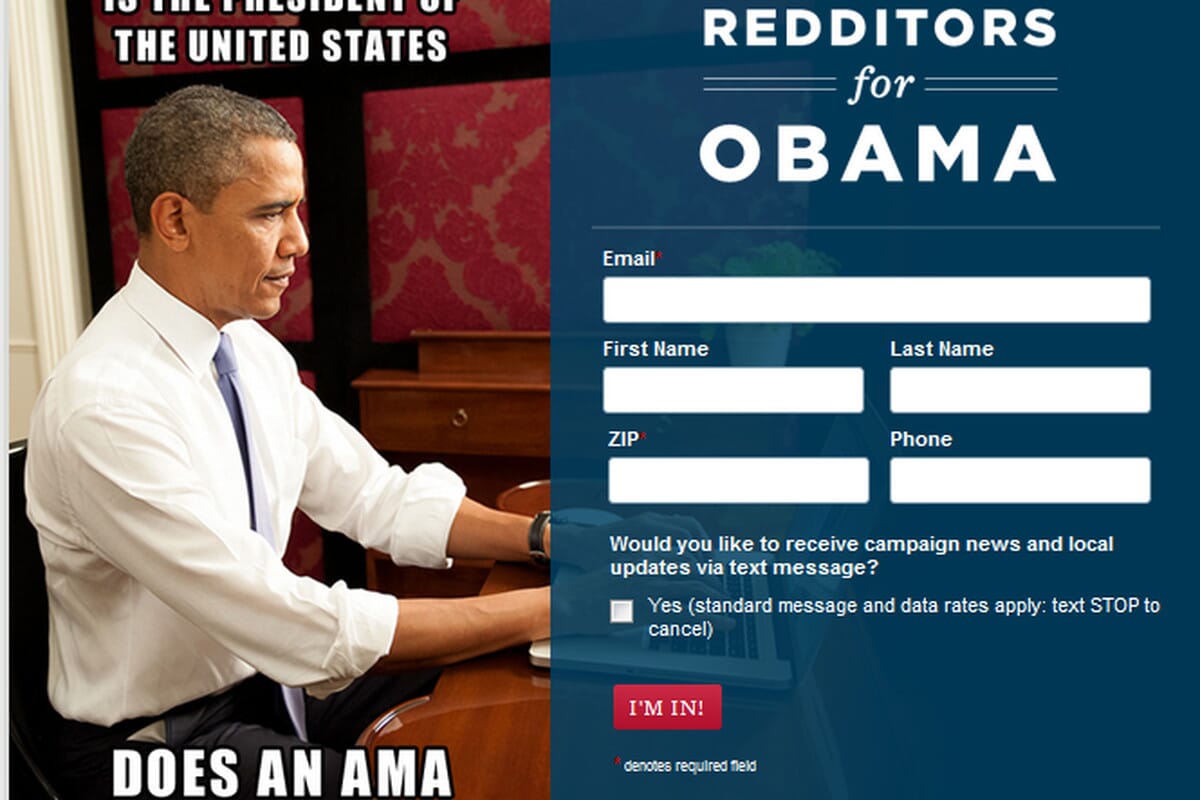
One of the most common techniques is to use the Campaign Source to personalize your landing page content. This way you can show different copy or design elements to people coming from different campaigns.Here’s what Obama did for people coming from Reddit.

Owox used a huge call-out for people who came from ProductHunt
If you’ve ever noticed Intercom’s chat widget, you’ve probably seen that they include a “powered by Intercom” link. If you click it, you’ll see a page like this:
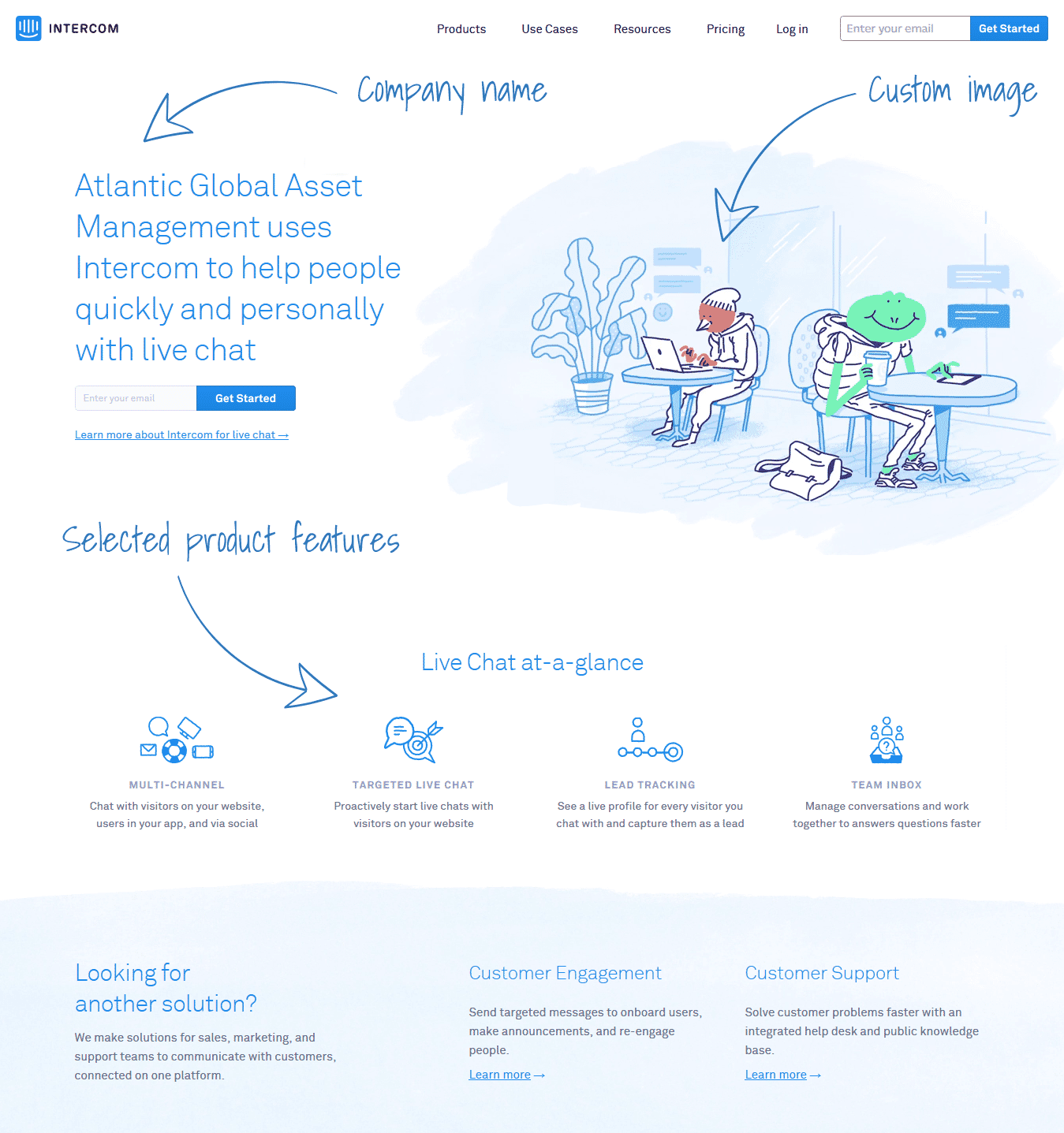
They grab the “company” parameter’s value and insert it into the page dynamically. They also show a stylish illustration and selected product features based on their second URL parameter - “solution”.
The same pattern can use any controlled value passed in the URL.
However, make sure you have full control over how your URLs are generated, to avoid unwanted results like this:
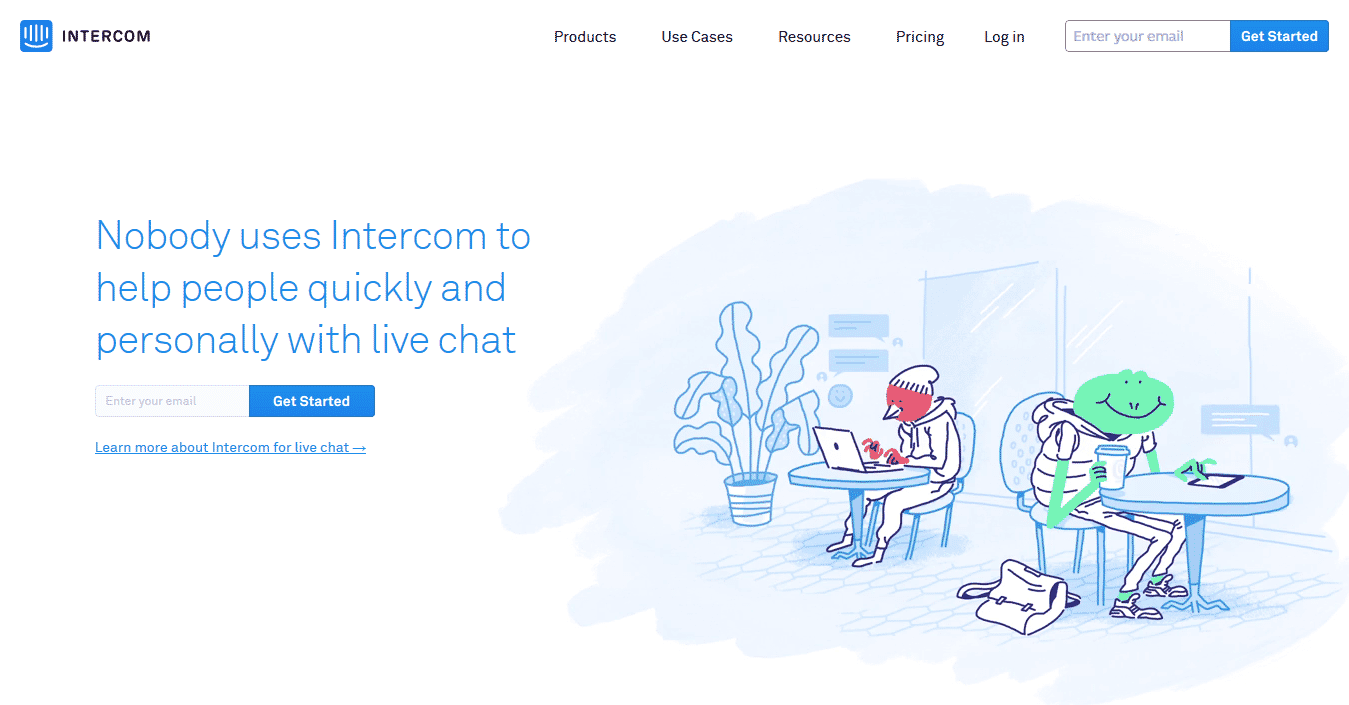
It's totally fabricated. But you get the point.
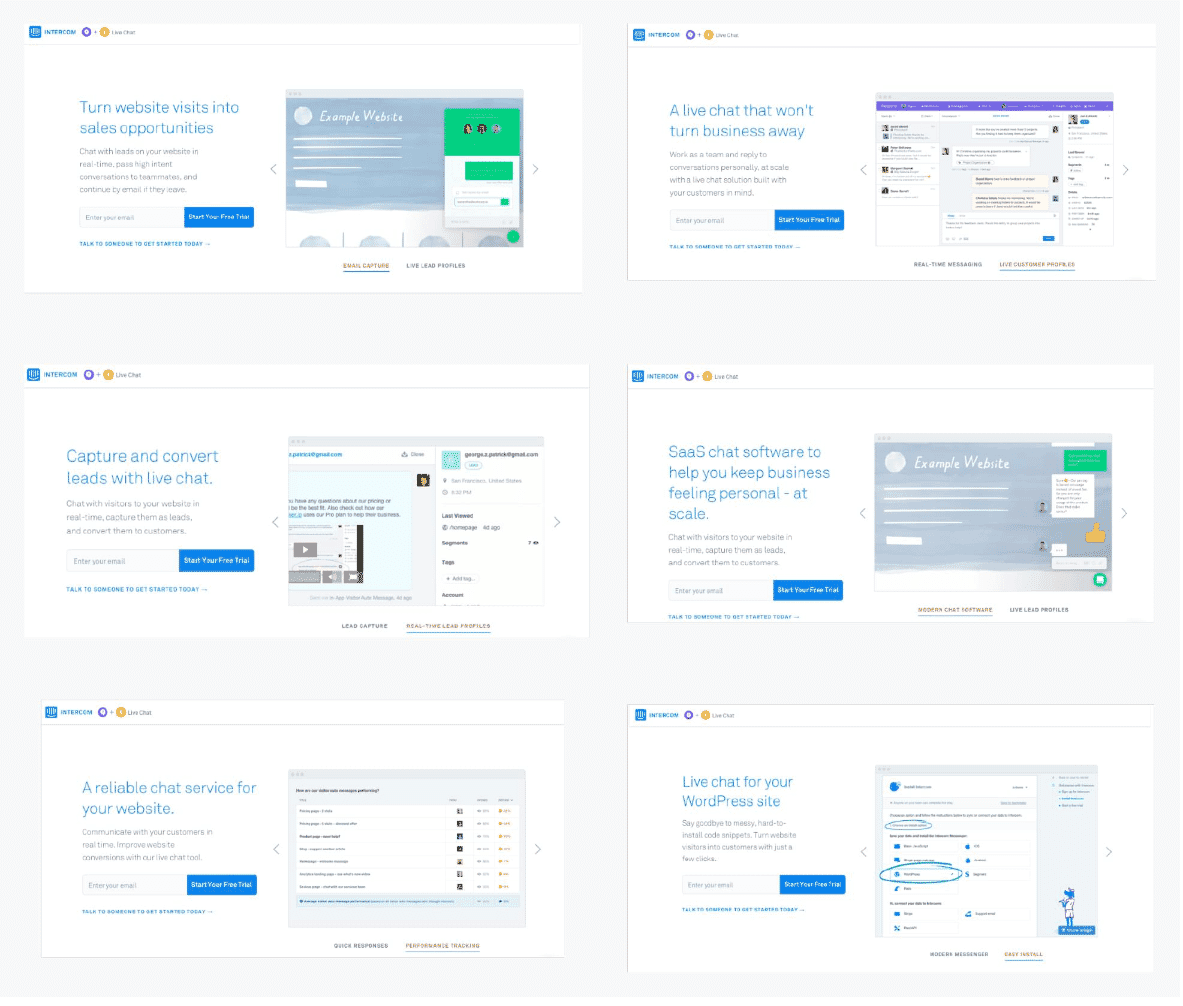
Dynamic keyword insertion
Provided out-of-the box inIntercom reported a 300% conversion-rate increase after matching landing pages to ad content.
Personalization by location
Location can change which image makes sense. People in Chile and British Columbia do not need the same weather message.Nationwide Insurance experimented with their landing page, serving a different version for people from cold regions.

Before

After
Personalized banners
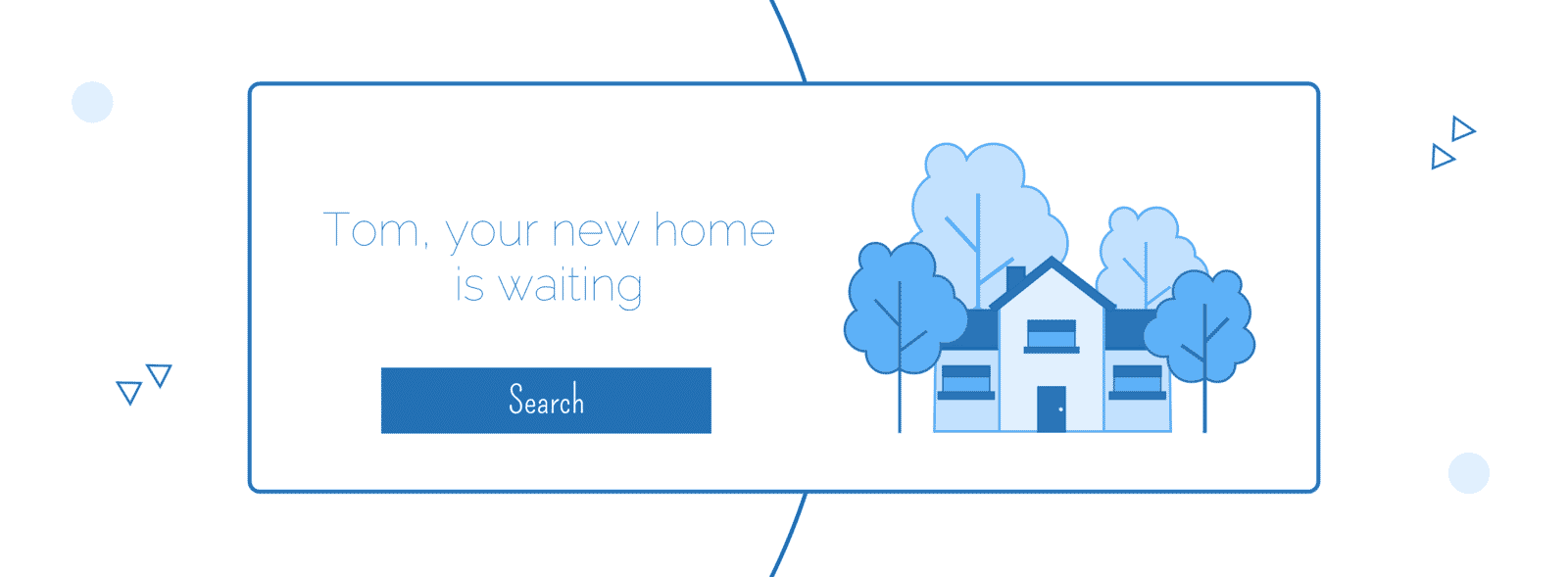
When it comes to the most commonly used personalization format, banners lead the way.
This is because email is the most widely used personalization channel.
It doesn’t mean that banners are limited to email only. You can use them on landing pages, pop-ups and chat bots.
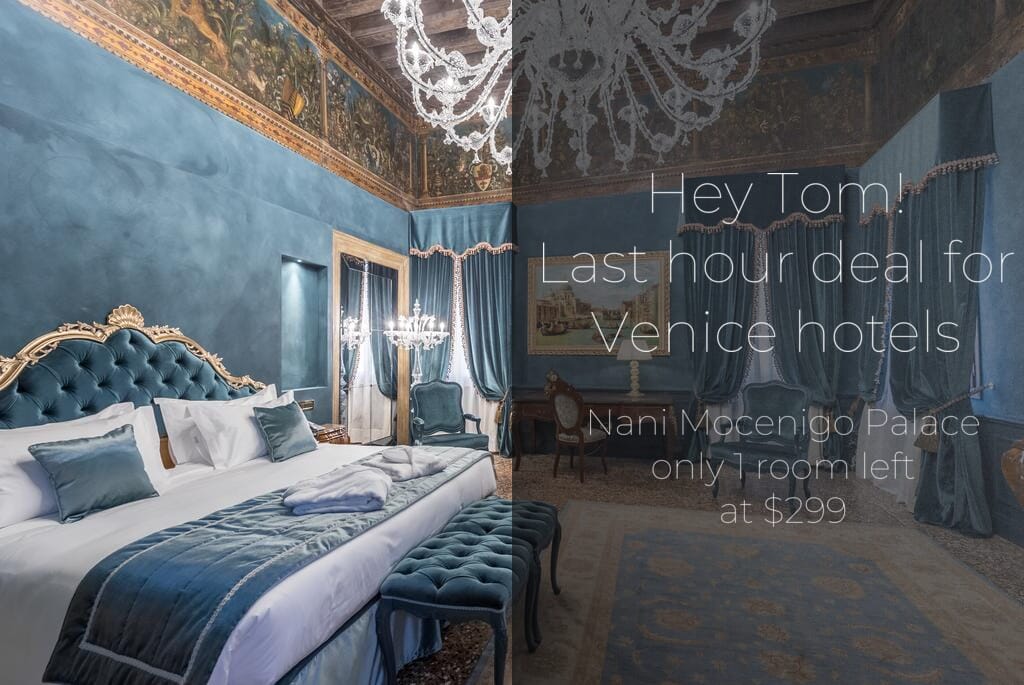
We’ve created some examples using Sirv to show you what’s possible.
Simple banner with an overlay
Using someone’s name together with a call-to-action can yield a 42% higher view-to-submission rate compared to generic CTAs:
Personalized GIF "slideshows"
Sirv can create animated personalized banners. Just upload a set of images and you can create an animated GIF in mere seconds.
Offer a discount, with images and a unique message tailored to each customer:
360-degree product spins
Automatically change the product/name/price to encourage customers to purchase particular products:
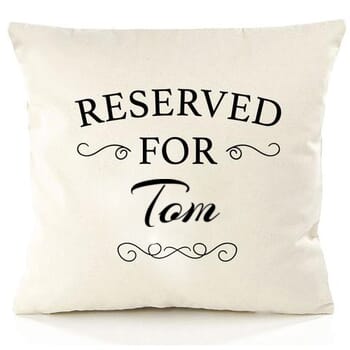
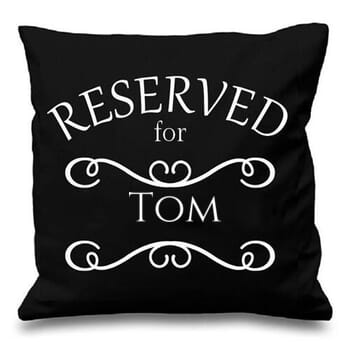
Custom product personalization
Give your customers an instant preview of how their customized product could look. It’s easy to build product customization tools for your online store:
Create a personalised image
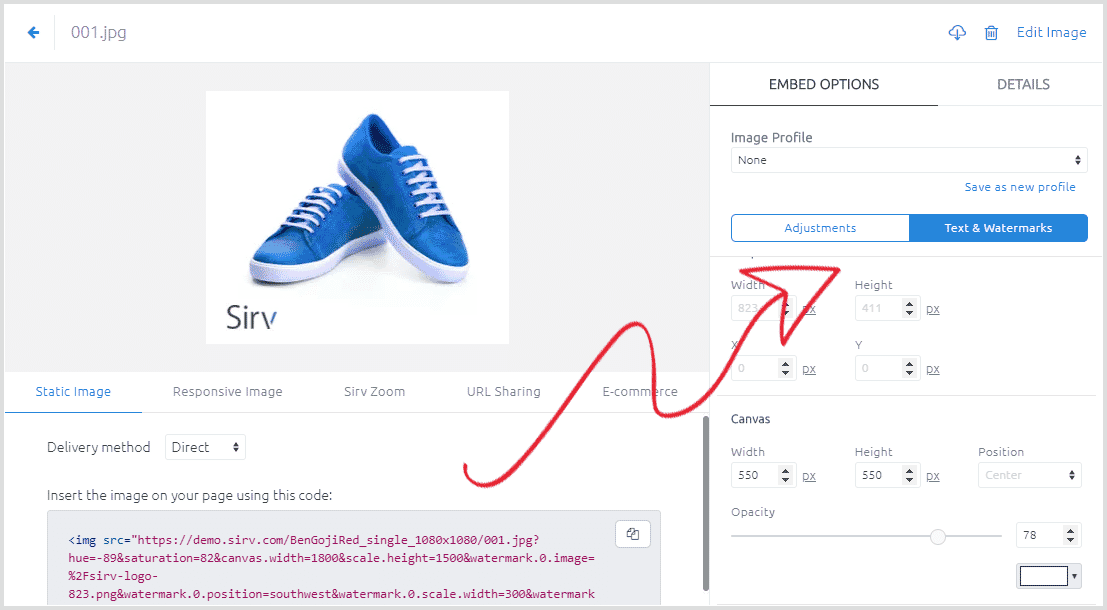
How do you create personalized images with Sirv?Use merge tags or custom fields with Sirv’s Dynamic Imaging options, or use the image customiser. Click an image in your account and adjust the options on the right:
Create your Sirv account to start personalizing images.
Got any questions? Our expert support team will happily provide any help you need.