
Historical guide from 2023. The examples describe that version of Sirv Experts and its Nuxt configuration. The script-loading error handler was corrected in September 2026. For current delivery advice, read Image SEO in 2026.
My latest project is Sirv Experts, a directory of professionals proficient with Sirv that we can vouch for.
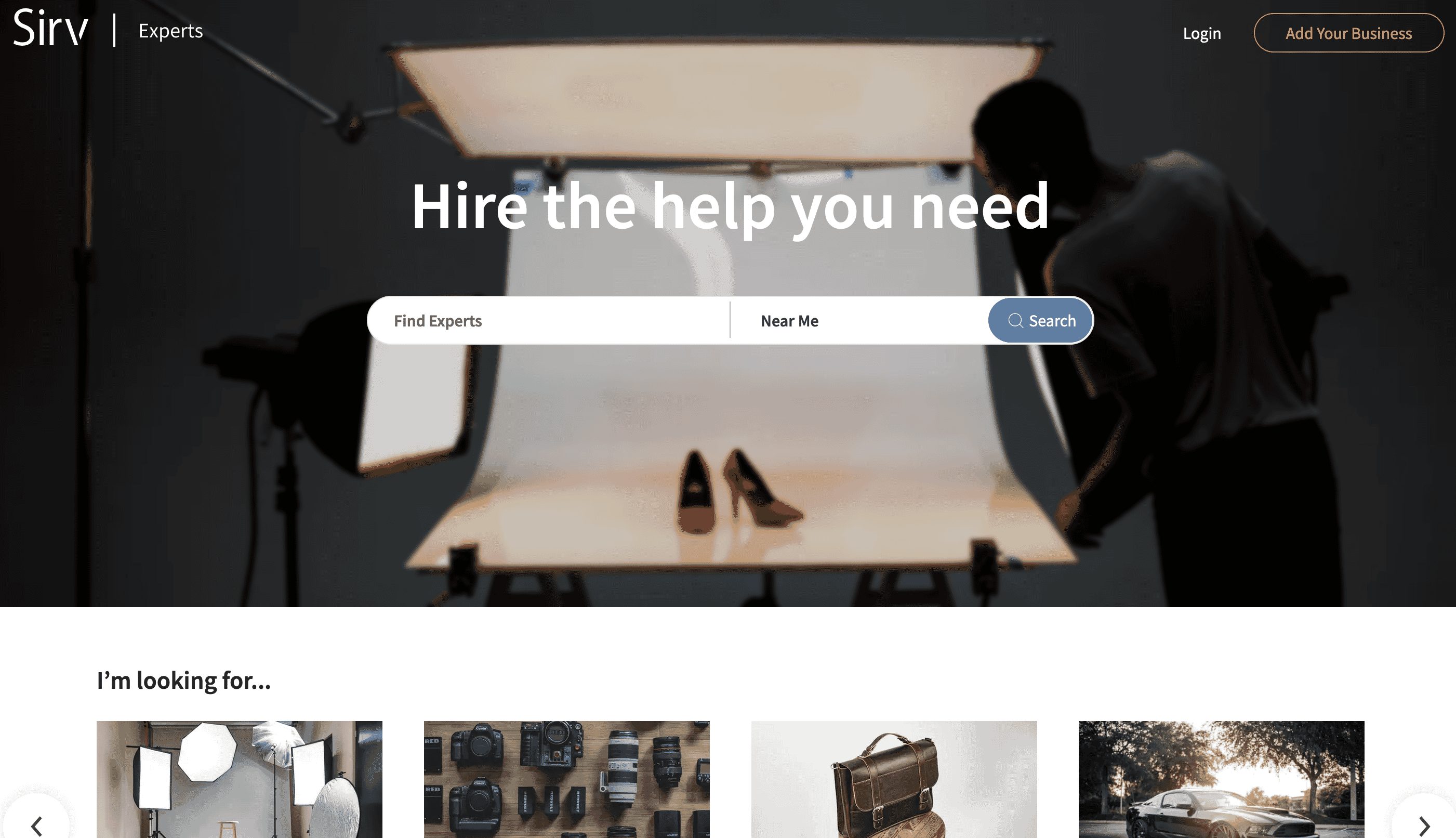
The project is powered by Nuxt and has some tricky parts about it, like an interactive map of experts closest to you, a portfolio showcase of each expert, and lots of images all over the website.
A good excuse to throw everything Sirv has at it.
The problem
We’ve compiled a list of things that we need to optimize for the project, and it’s quite a list:
- Optimizing images, serving them in the optimal format and size on the fly
- Lazy loading images
- Improving first contentful paint & reducing layout shift
- Hosting static assets on a CDN
- Showcasing experts’ portfolios consisting of various media like images, videos, 360 spins and 3D models
The solution
I’ll start with some boasting, of course. 😀
 GTmetrix score of 100%, and a 0.5s largest contentful paint.
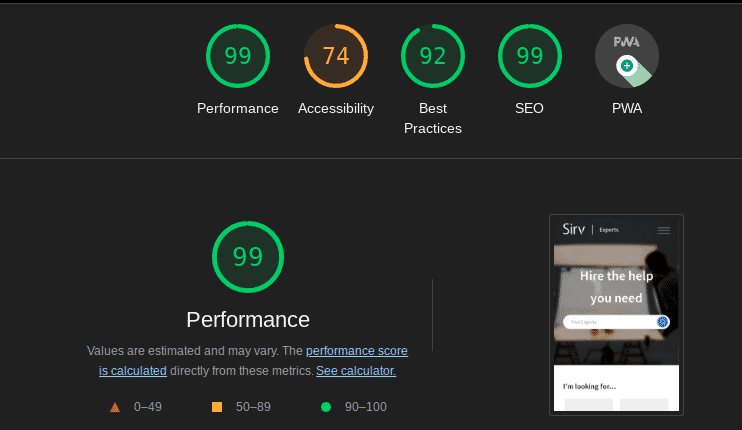
And a 99% score on LightHouse. Yeah, we’re working on accessibility right now, I know it’s important. 😀
Image optimization and lazy loading
Sirv’s automatic responsive images take care of the first two items out of the box. Images get lazy-loaded and served in the right format and size.
Sirv.js requests a transformed version of the master image for the current device. We first loaded the script in nuxt.config.js, then moved it to the pages that actually needed it.
//components/footer.vue
getSirv()
    {
    return new Promise((resolve, reject) => {
        const script = document.createElement('script')
        script.src = 'https://scripts.sirv.com/sirvjs/v3/sirv.js'
        script.type = 'text/javascript'
        script.setAttribute('async', '')
        script.setAttribute('defer', '')
        script.onload = resolve
        script.onerror = () => {
            reject(new Error('Failed to load the Sirv script'));
        };
        document.body.appendChild(script)
    })
}
Alternatively, just use the npm module.
Our images were already on Sirv, so there was nothing to migrate. That left the placeholders.
Improving first contentful paint & reducing layout shift
Sirv’s Dynamic Imaging parameters can return a placeholder at the required size, format, and colour. We used 10% quality for the small images on the map page.
<img
  class="Sirv"
  :src="icon+'?q=10'"
  :data-src="icon"
  :alt="title"
>
Adding blur works pretty nicely for bigger images, but we didn’t really have any use-case for this.
We also preloaded critical images and prefetched the Sirv CDN and Google Fonts domains in nuxt.config.js:
//nuxt.config.js -
head: {
    //your meta and other stuff
    link: [
        { rel: 'preconnect', href: 'https://scripts.sirv.com/', crossorigin:true},
        { rel: 'preconnect', href: 'https://experts-content.sirv.com', crossorigin:true},
        { rel: 'preconnect', href: 'https://fonts.googleapis.com', crossorigin:true},
        { rel: 'dns-prefetch', href: 'https://scripts.sirv.com'},
        { rel: 'dns-prefetch', href: 'https://experts-content.sirv.com'},
        { rel: 'preload', as: 'style', href: 'https://fonts.googleapis.com/css?family=Source+Sans+Pro:200,300,400,600&display=swap' }
    ]
}
Hosting static assets
We just slapped all of our static assets on the CDN 😀 It’s pretty much a single line in the nuxt.config.js file:
//nuxt.config.js
build: {
    publicPath: 'https://experts-content.sirv.com/_nuxt/'
//your other options
}
You’d still have to upload your assets to the CDN after every build, which can be done via a github action (docs here) or a deployment script like this.
So now we have all of our images optimized, lazy-loaded, and hosted on the CDN, but we still have to deal with the experts’ portfolios.
Showcasing experts’ portfolios
This is where Sirv’s Media Viewer shines. A small custom component takes the portfolio data and builds a gallery out of it.
See the result here. Or use this Nintendo Switch gallery:
<div class="Sirv">
 <div data-src="https://demo.sirv.com/demo/Switch/switch-front.jpg" data-type="zoom"></div>
 <div data-src="https://demo.sirv.com/demo/Switch/switch-separate.png" data-type="zoom"></div>
 <div data-src="https://demo.sirv.com/demo/Switch/nintendo_switch.glb"></div>
 <div data-src="https://demo.sirv.com/demo/Switch/switch-slide.jpg" data-type="zoom"></div>
 <div data-src="https://demo.sirv.com/demo/Switch/switch.mp4" data-options="autoplay:true"></div>
 <div data-src="https://demo.sirv.com/demo/Switch/switch-wide.jpg" data-type="zoom"></div>
 <div data-src="https://demo.sirv.com/demo/Switch/switch-oled.jpg" data-type="zoom"></div>
</div>
Clean and simple. There is also a Vue 3 library for working with the viewer.
UPD: I’ve recently written an integration with Nuxt Image, which makes working with Sirv images in Nuxt freaking amazing.